Your team, as employees
Team records hold documents, rates and a dated history of pay changes, with pending invites and departed team members kept on file.
This one does. Clients, vendors, contractors and your own team live in one address book that knows what each needs from you: open balances and portal access for clients, trade pricing and purchase orders for vendors, insurance and bills for contractors.
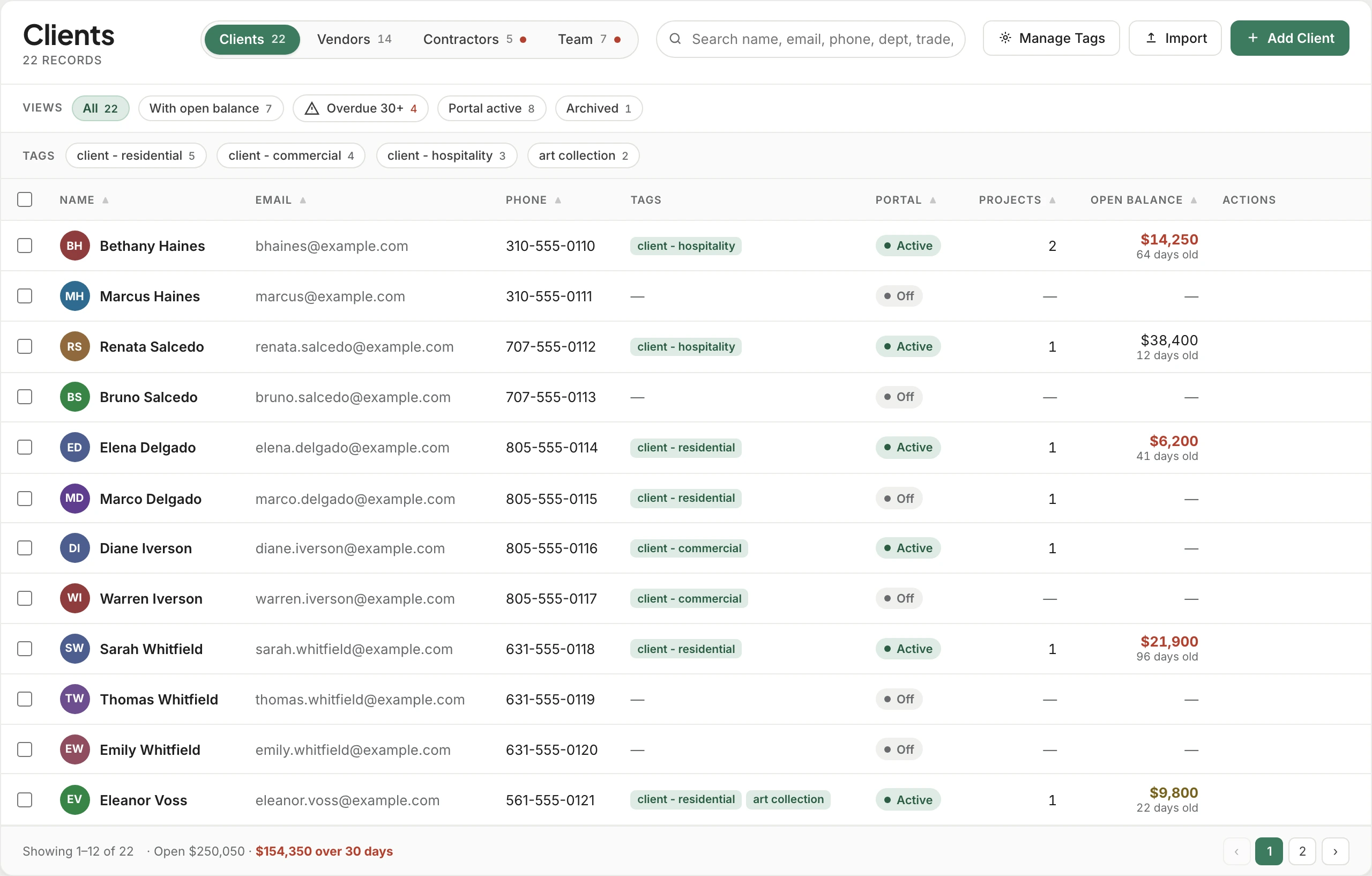
Trusted by the studios doing the work
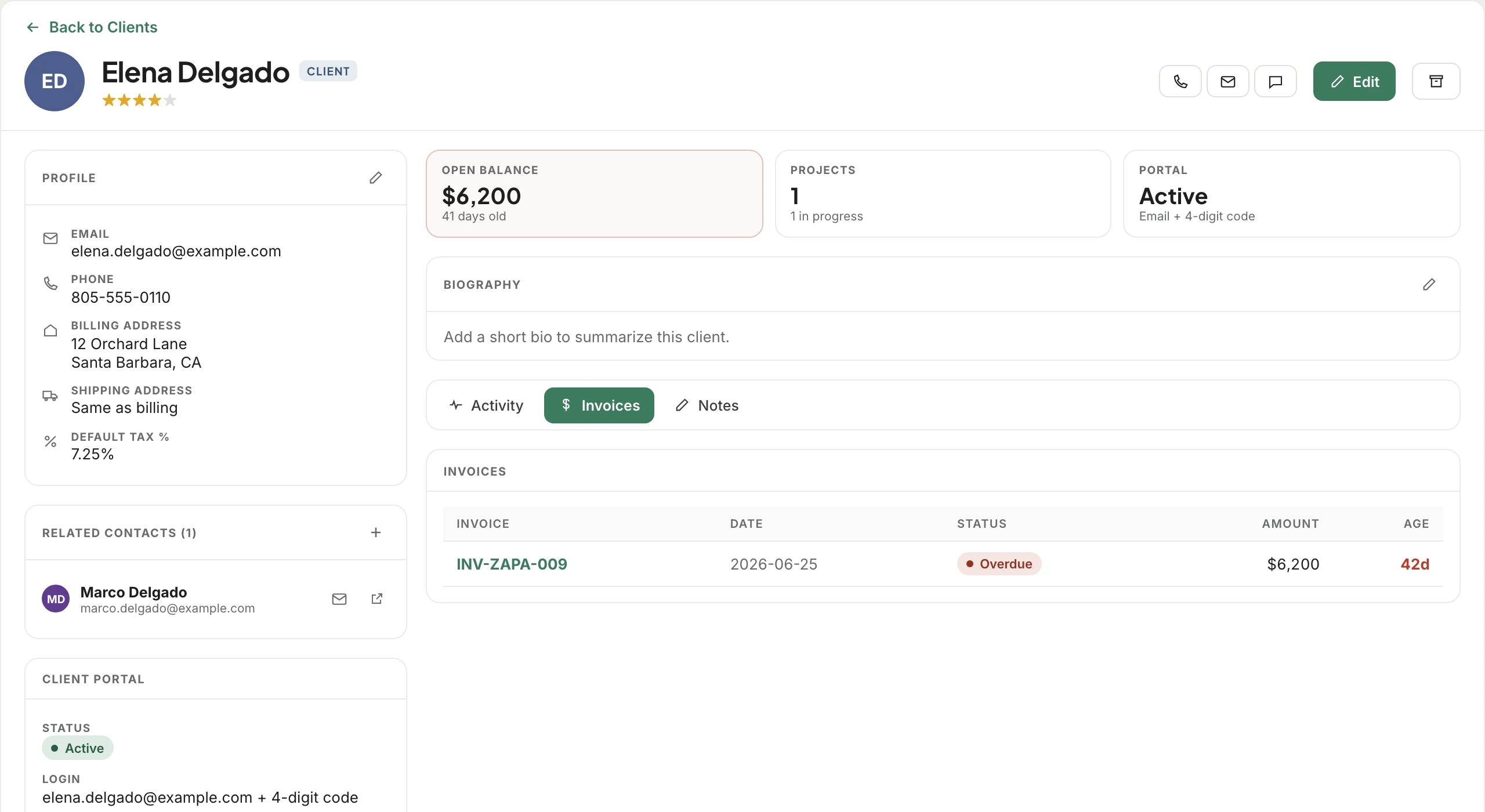
A client record carries their open balance and how long it has waited, the projects they’re on, every invoice, and their portal access: their own email and a 4-digit code, with no new password to forget. A couple is linked through related contacts, so both of them can be on the project.
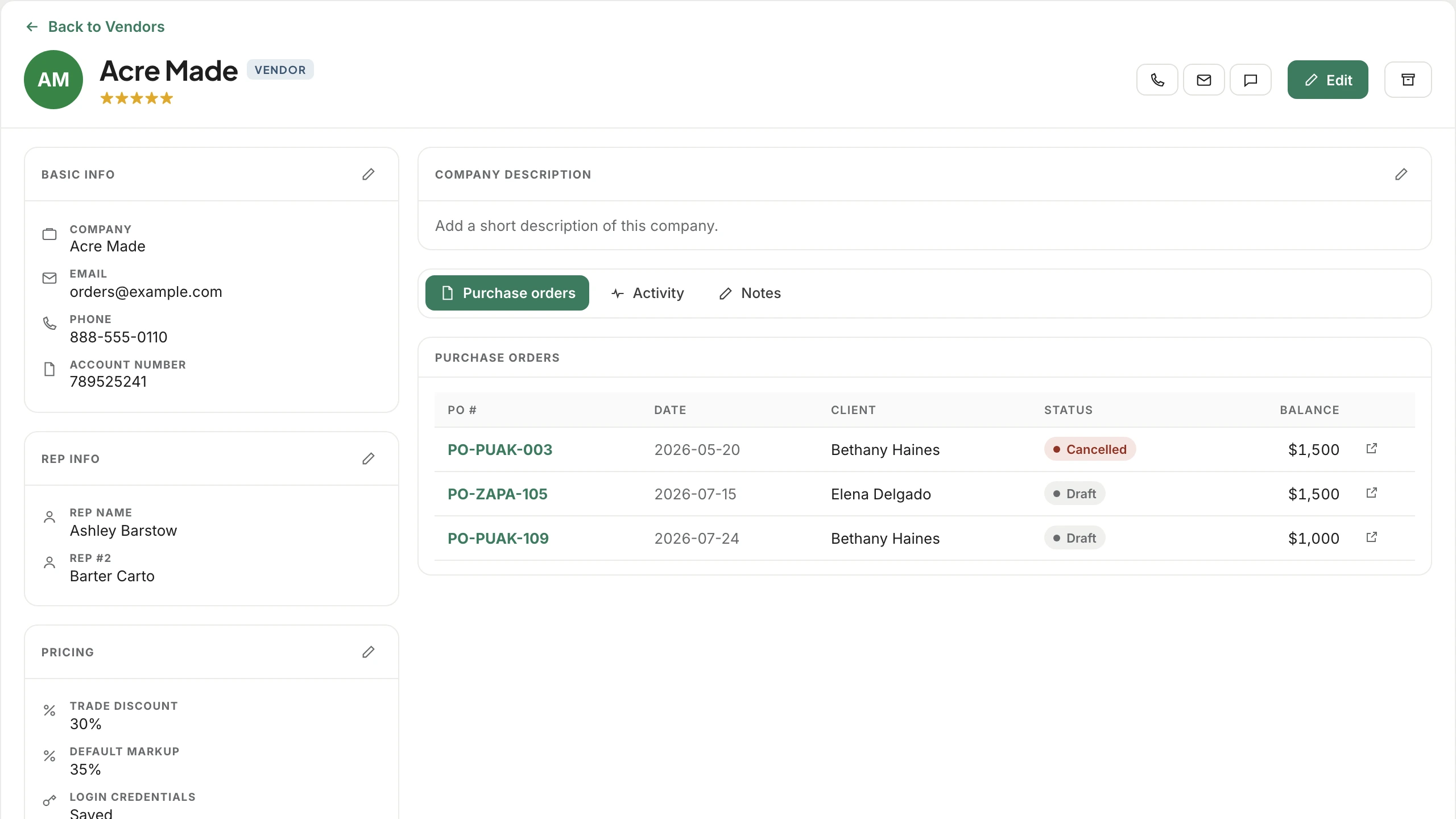
Every vendor record holds your trade discount, your default markup and the login for their trade portal, alongside your reps and every purchase order you’ve placed with them. The next estimate prices from it without anyone looking it up.
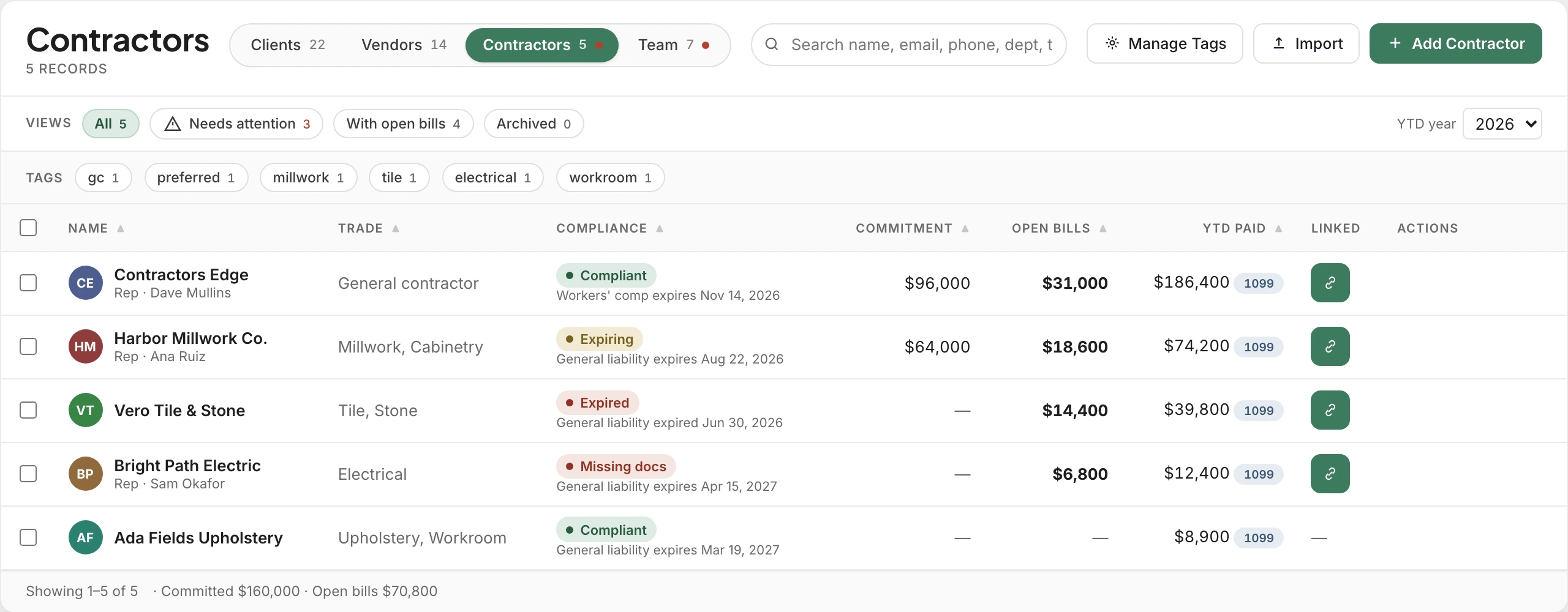
Each contractor’s W-9, general liability, workers’ comp and license live on their record with their expiry dates, and the status follows those dates: compliant, expiring, expired or missing documents. Nobody has to remember to update it, and the Needs attention view lists everyone who’s slipped.
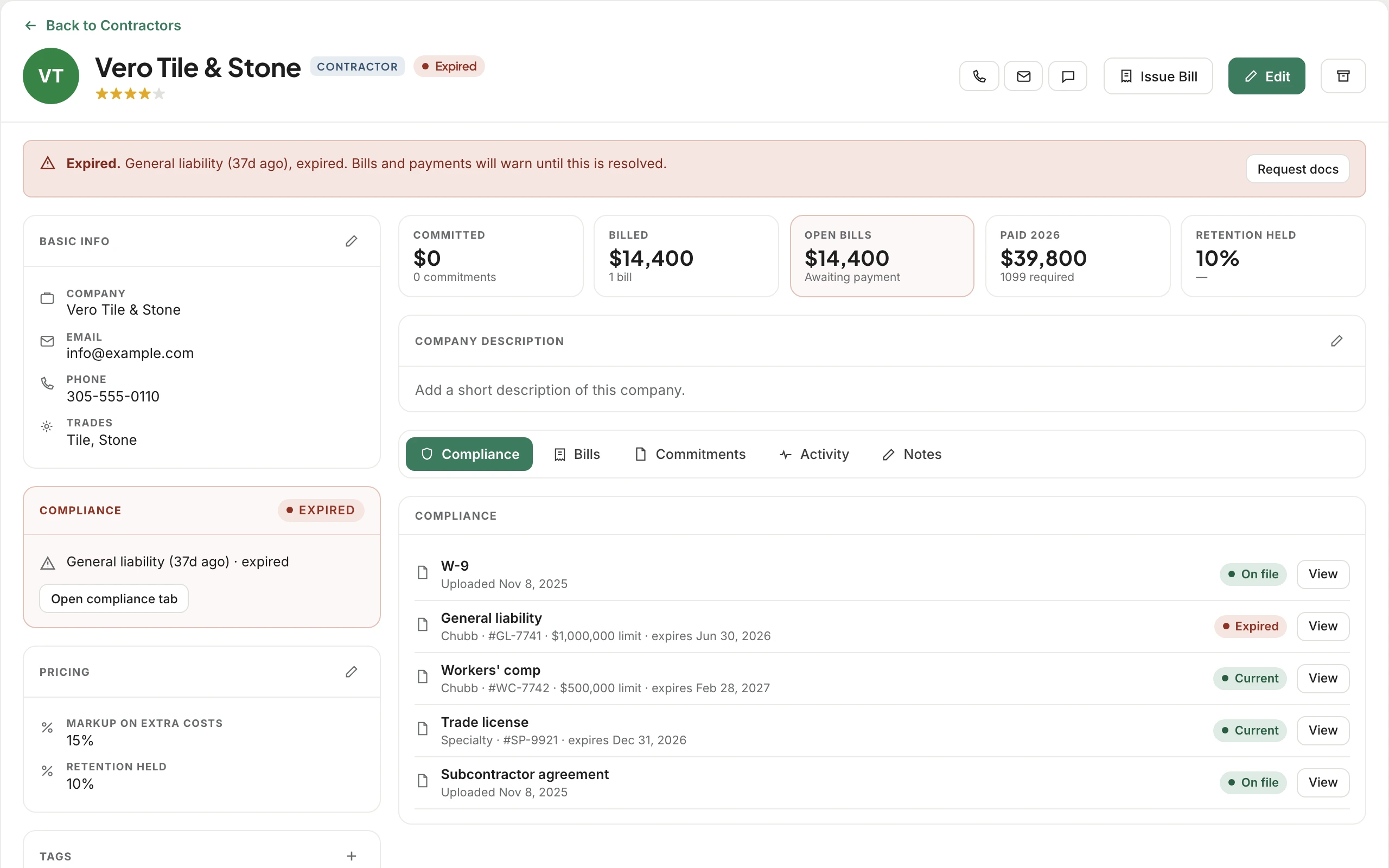
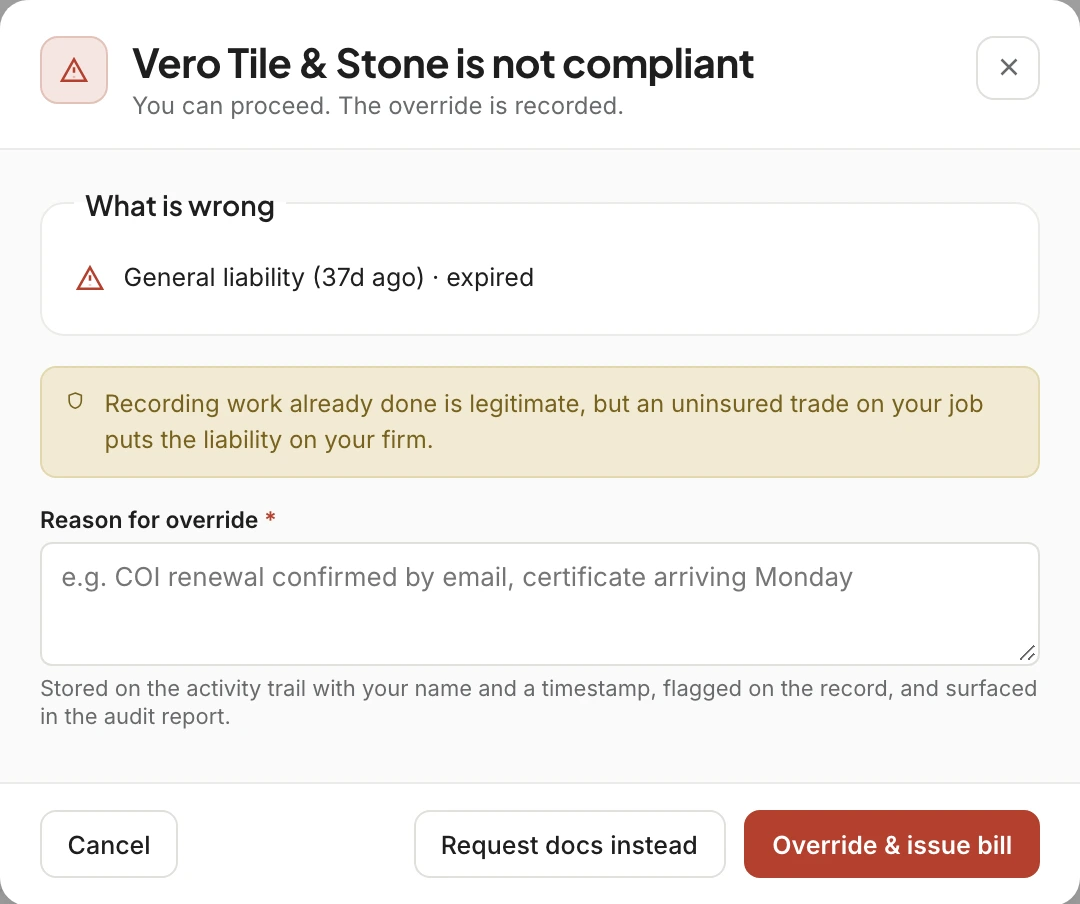
Work happens before paperwork catches up, so Workroom never stops you from issuing a bill or paying a contractor whose insurance has lapsed. It tells you exactly what’s wrong, asks for a reason, and keeps that reason with your name and the time on the record, where the audit report can find it.
Team records hold documents, rates and a dated history of pay changes, with pending invites and departed team members kept on file.
Every contact has call, email and chat right on the row, and the conversation opens in Comms beside the project it’s about.
Saved views for open balances, overdue over 30 days, open purchase orders, open bills and everyone who needs attention, with tags on top.
Past clients and old vendors move to Archived with their history intact, so a repeat client three years later picks up where you left off.
Designers see vendor pricing but not client balances. Bookkeepers see pay but not team documents. Whatever a role can’t use simply isn’t on the page.
Start from a spreadsheet: import your clients, vendors and contractors, then tag them the way your studio already talks about them.
With the email address you have for them and a 4-digit code. You send the invite from their record, and you can resend or turn off access at any time.
In their own Leads module. When a lead becomes a client, they arrive in Contacts with everything you already know about them.
Their status changes on its own from the expiry date, they show up in Needs attention, and any bill or payment to them asks for a reason before it goes ahead.
By default designers see vendor pricing, because they spec the products. You decide per role, and anyone without access simply doesn’t see the pricing fields.
Each person has their own record, linked through related contacts, and both can be on the same project with their own portal access.
We’ll bring in your clients, vendors and contractors and show you the balances, the discounts and the lapsed insurance you didn’t know about.