Approvals reach the product
A yes in a selection is the product’s approval, the same state the estimate and the purchase order read. There’s never a second copy of the truth.
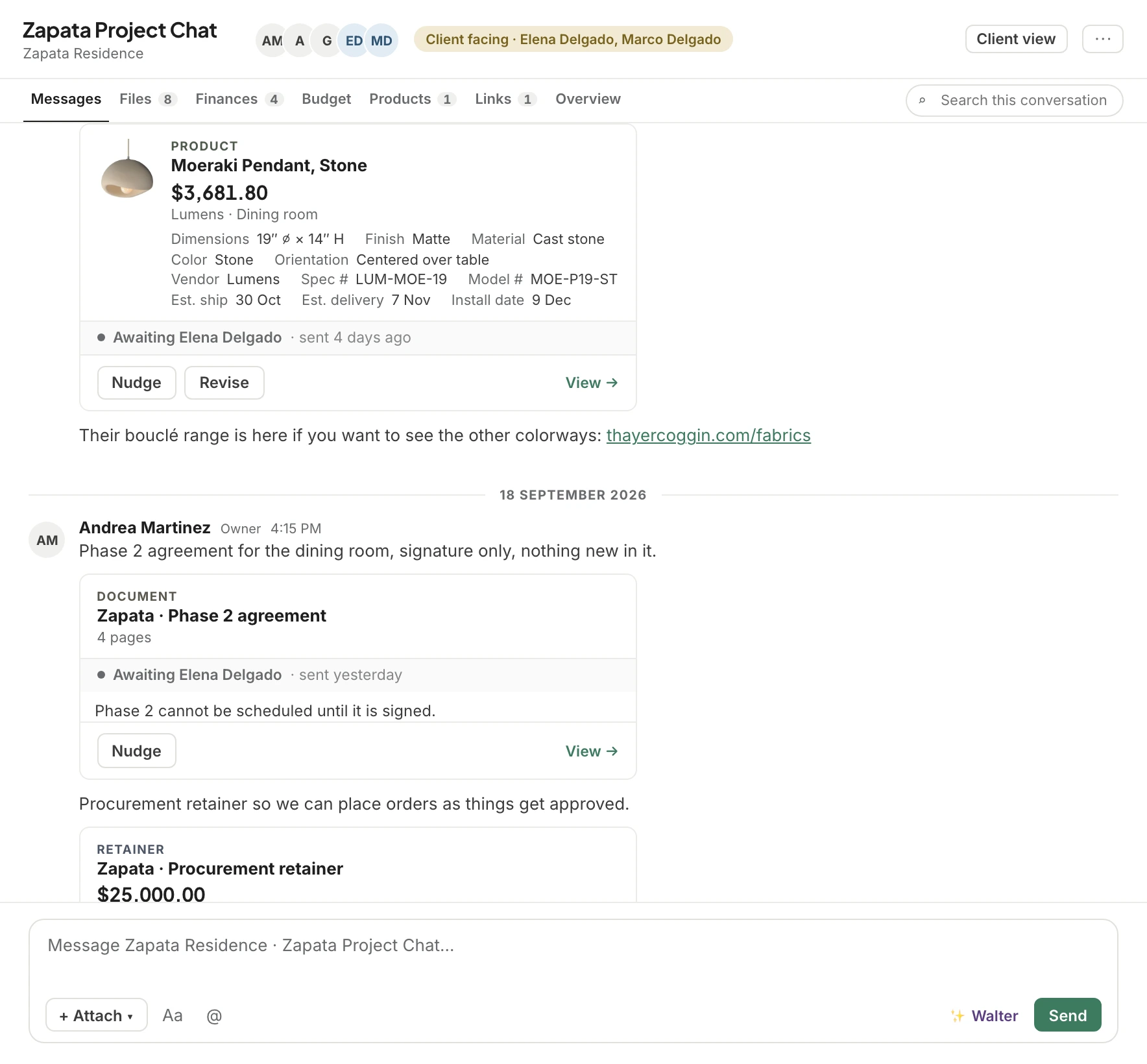
Estimates, invoices, change orders and products arrive in the thread as live cards that always show where they stand today. Clients approve, sign and pay without leaving the conversation, and one list shows what’s waiting on you and what’s waiting on them.

Trusted by the studios doing the work
Send an estimate on Monday and the card in Monday’s message says it was approved on Wednesday. Every estimate, invoice, change order, product and document in a conversation reads its state live, so nobody acts on an old screenshot.
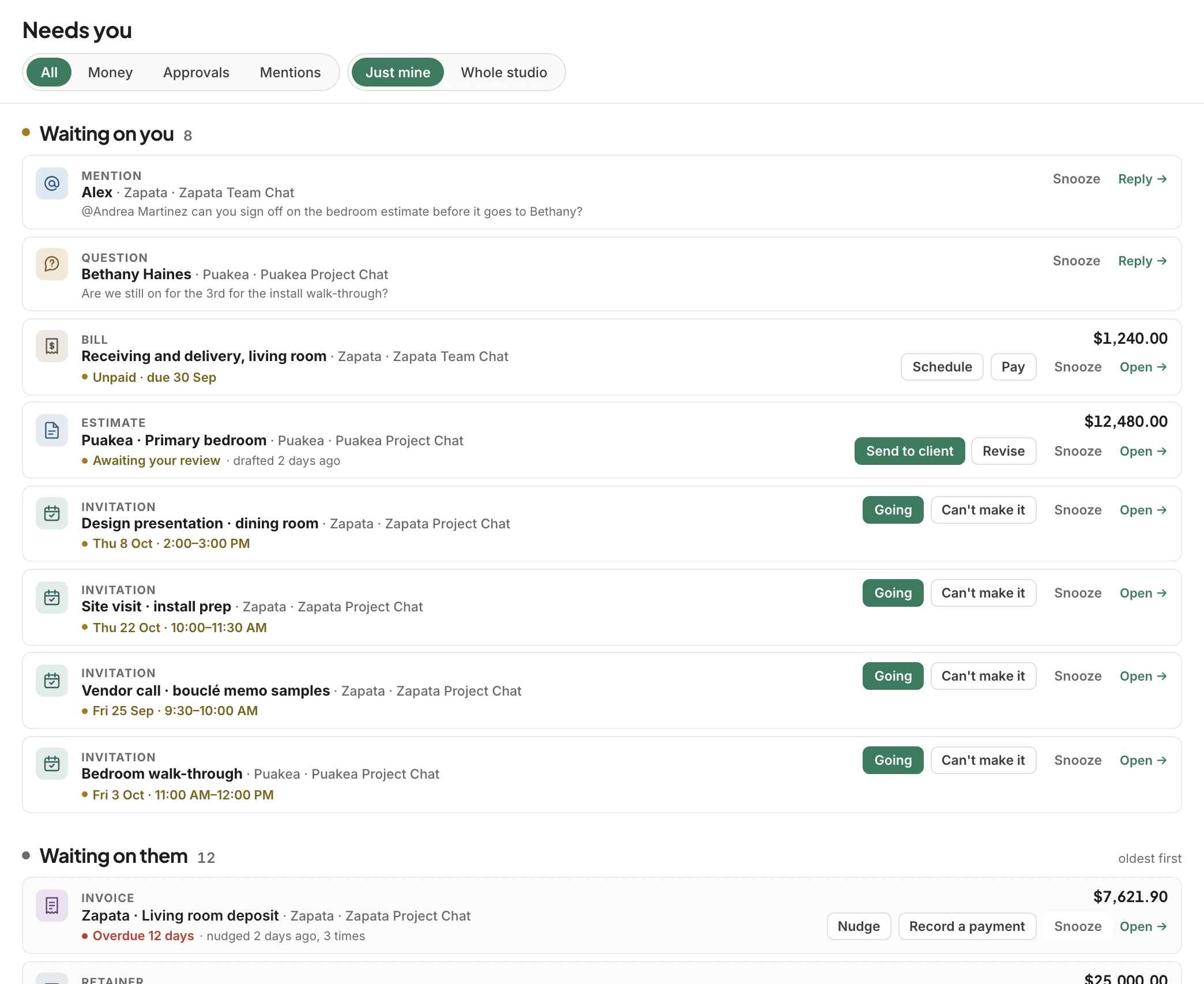
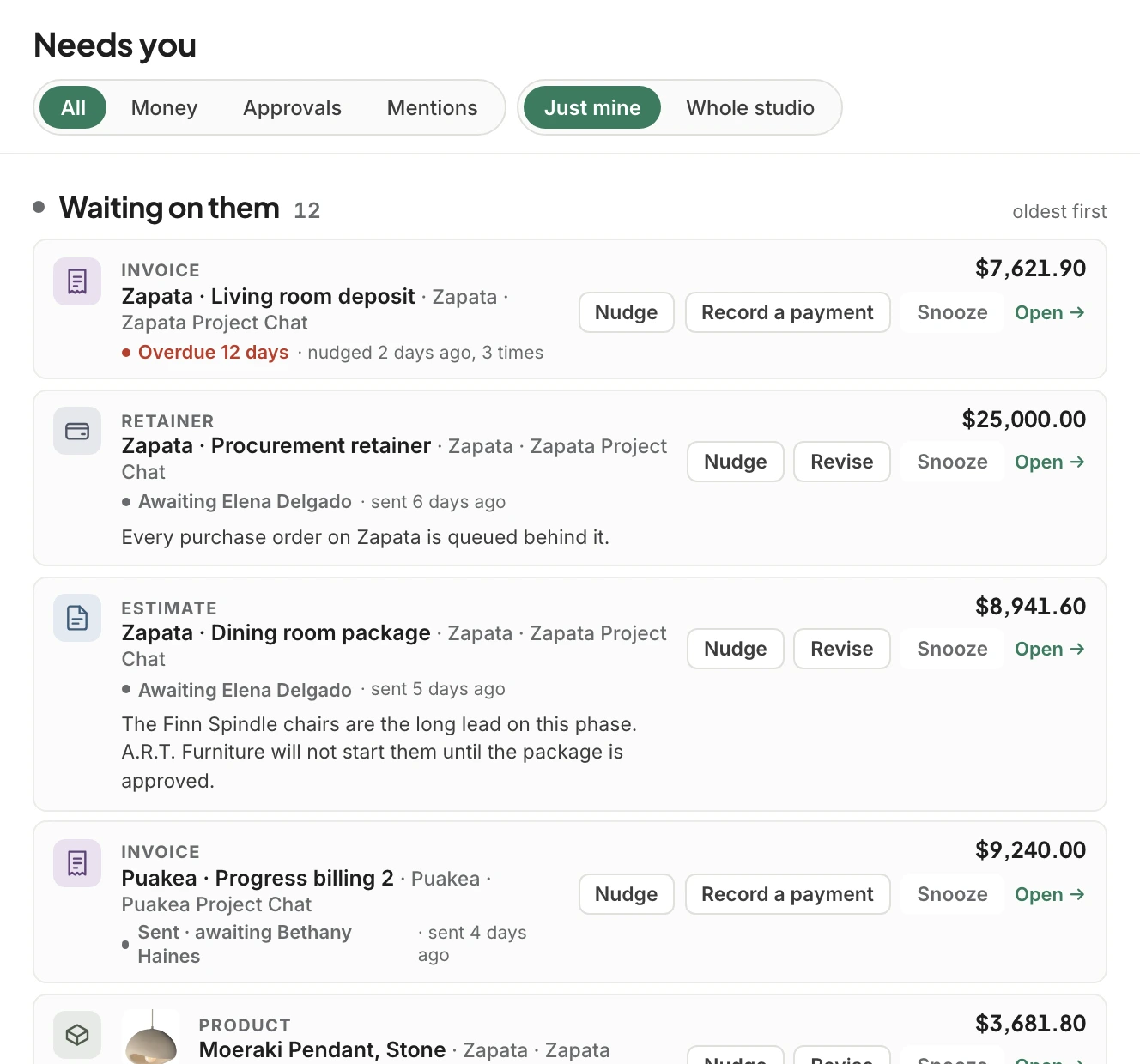
Waiting on you collects everything your studio has to act on. Waiting on them collects everything you’ve sent that a client, vendor or teammate still owes you, oldest first. The person running the studio sees what’s holding up every project in one list, without waiting for someone to mention it.
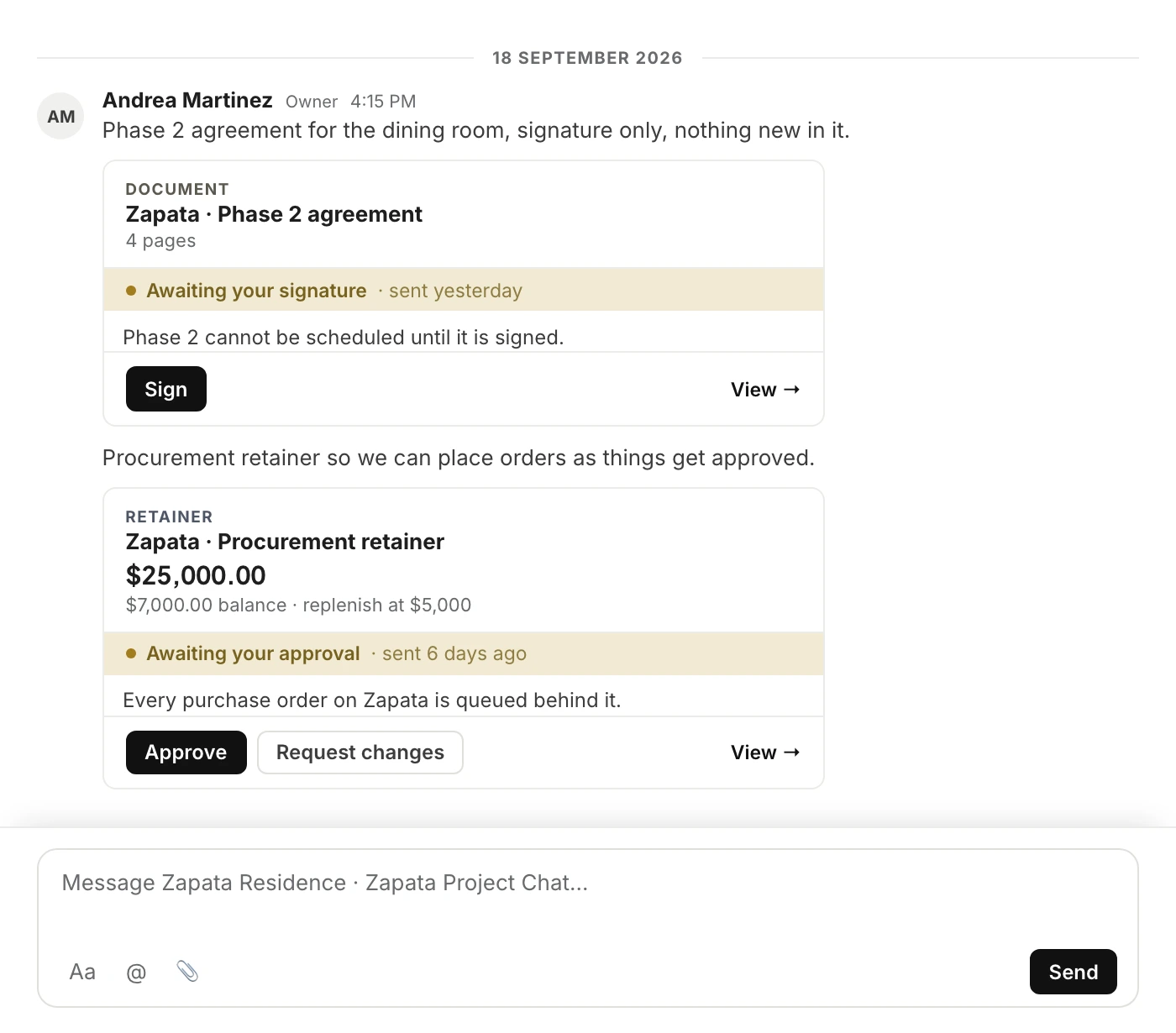
An estimate or change order arrives with Approve and Request changes on the card. Documents are signed in place, and an invoice opens its payment page from the same card. Every decision is saved on the record, with who made it and when.
Each project has one chat with the client and one chat for the team. Add a selection when there are products to decide on, or a presentation when there’s a design to walk through.
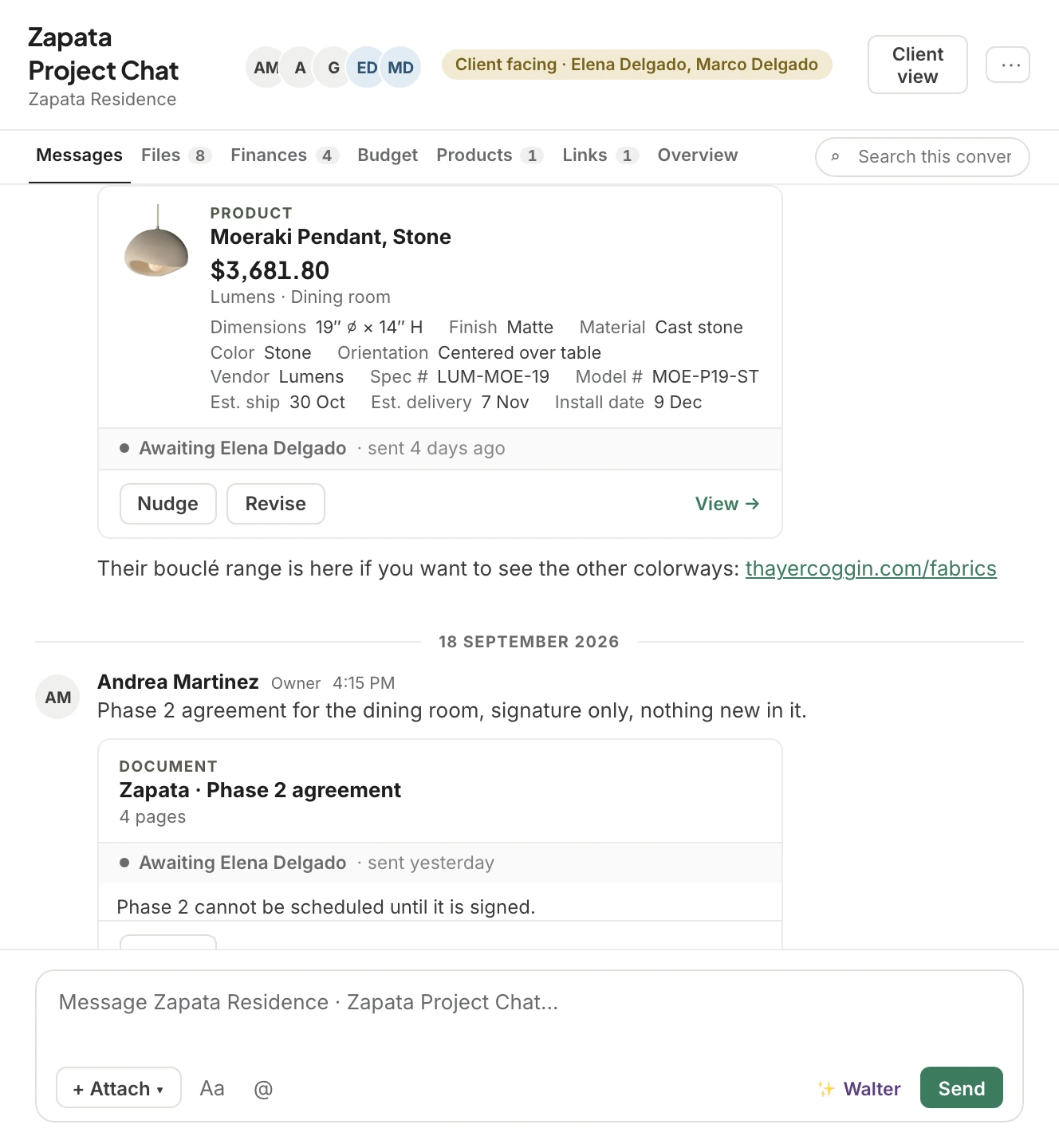
Everyday messaging for the studio and the client, except a product, an estimate or a file dropped into the conversation arrives as a card, not a dead link. The rug in the message is the rug on the project.
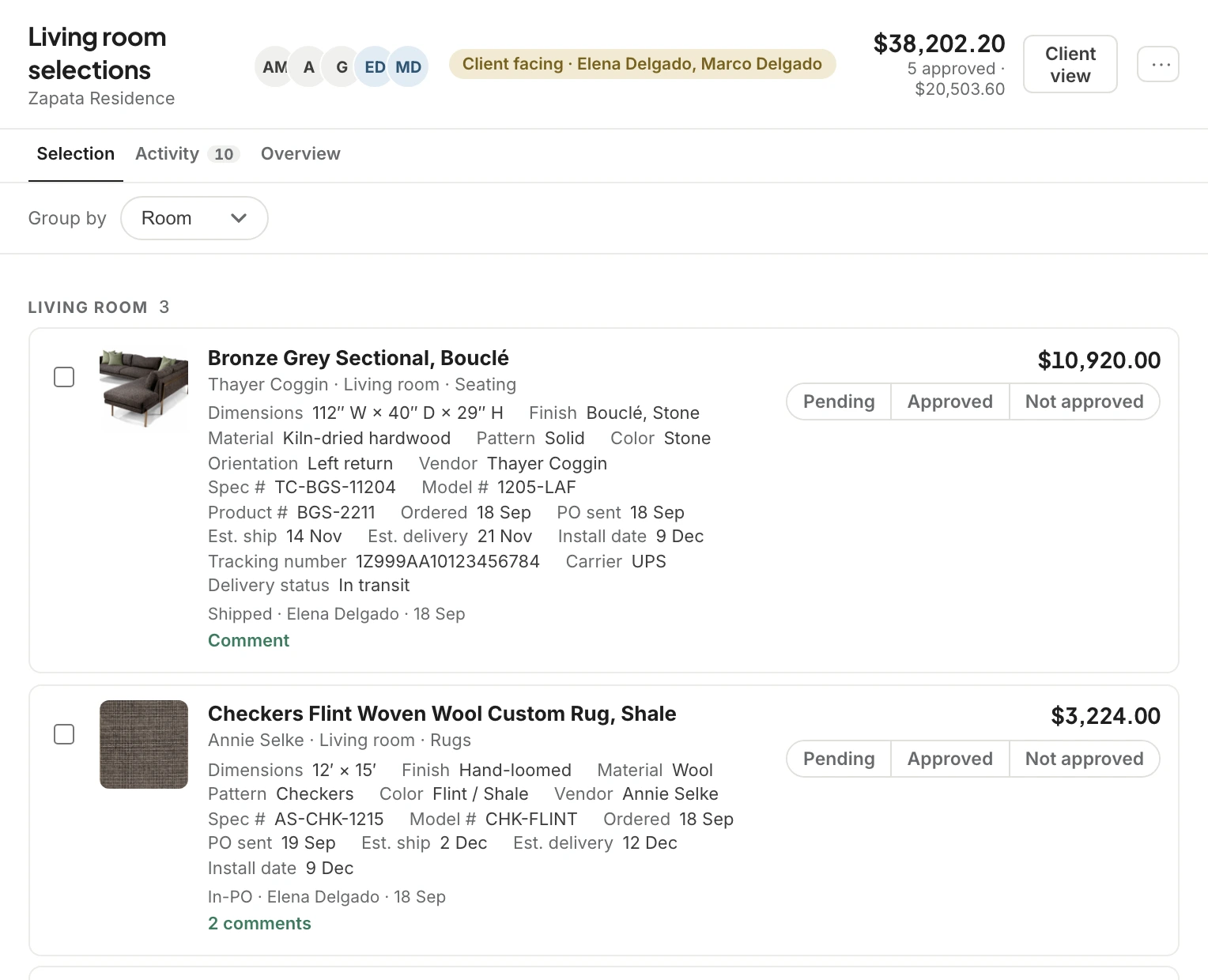
A selection is exactly that: the products you want a decision on, grouped by room, each Pending until the client marks it Approved or Not approved. A no comes with a reason, so you know whether it was the price, the finish or the size.
Present from Canva, Google Slides, Figma, a Mood board or a PDF. Clients comment on the whole page or drop a pin exactly where they mean, and Present mode takes the room full screen for the meeting.
 1
2
1
2
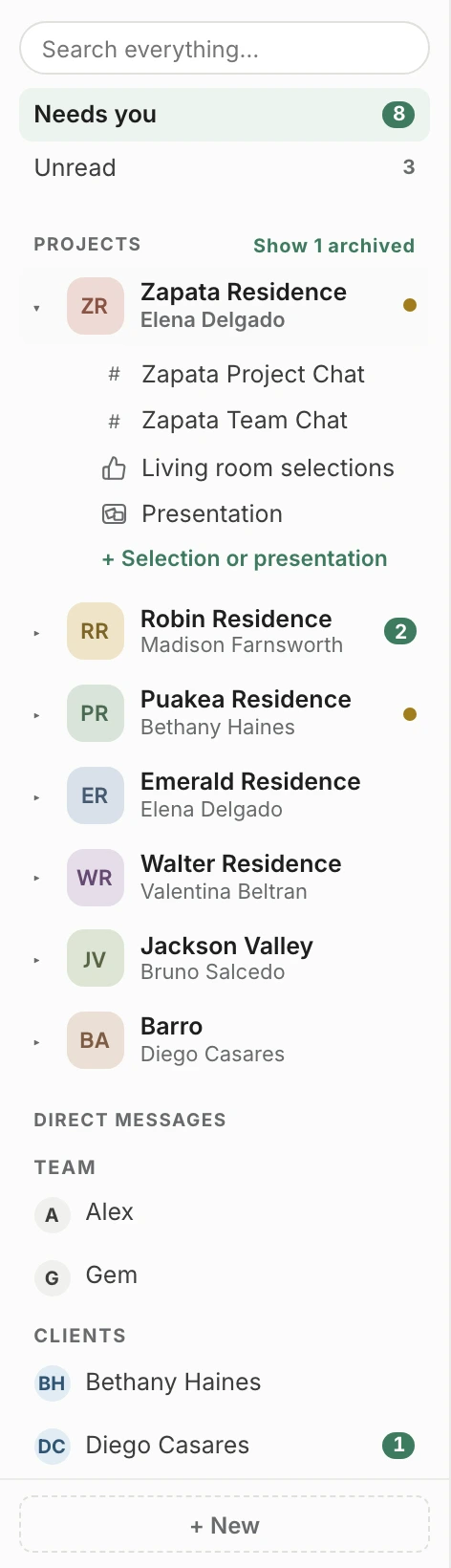
Every active project sits on one row with its color, initials and client. An amber dot means something is waiting on you, and a number means unread messages, so you never open a project just to find out. Open it for its rooms.
A yes in a selection is the product’s approval, the same state the estimate and the purchase order read. There’s never a second copy of the truth.
Mention a teammate, a product, an estimate or an invoice by name. A tagged record opens beside the chat, so you can check it without losing your place.
Everything shared in a room lands in its Files tab, in folders, with every version kept. One switch decides whether the client can see it.
Search every message, file and record across the studio. A client searching finds only what they’re allowed to see, never a team message or a cost.
Add someone to the project team and they’re in every room of that project. Take them off and they’re out of all of them, with nothing to clean up.
The Products tab shows where every piece stands, with live tracking that updates its status as it moves. Clients see it too, without the prices.
The quiet failure of most design software is the email nobody answered because it arrived from noreply@. A client hits Reply, the message goes nowhere, and three weeks later somebody discovers the estimate was never actually declined. It was answered into a void.
Set the From name and address once. Clients see your studio, replies route straight back to you, and default CC lines put your bookkeeper on every invoice without anyone remembering to add them. Templates carry the wording, with variables filled at send time.
Hitting Reply sends the message back to you, not to Workroom.
Default CC / BCCAuto-add these addresses to every outbound email of the matching type.
For decisions, yes. Approvals, signatures, payments and selections happen on the record instead of in a thread you’ll have to find later. For everything else, Workroom Email is coming soon.
Every project has a team chat that clients can never join, and clients are added to the other rooms one at a time. Costs, markup and margin never appear on a card a client can see, and search only returns what the person searching is allowed to see.
No. They get a simpler view of the same Comms, in your studio’s branding, that opens on what’s waiting on them. See the client portal.
It keeps reading the record. If the estimate is revised, approved or voided, every card that points to it shows the change, in every conversation it was shared in.
Yes. Paste the share link and the presentation opens in the room, with page comments and pins for everyone in it. Canva and Slides share through a public link, so Workroom marks those presentations; Mood boards and PDFs stay under the room’s permissions.
“Within the chat, you’re able to filter just links or just attachments, for when you need to find something again.”
We’ll open a project in Comms and follow an estimate from the message it was sent in to the moment the client approves it.