Straight from time and expenses
Billable hours from time tracking and approved reimbursable expenses arrive on their own. There’s nothing to import.
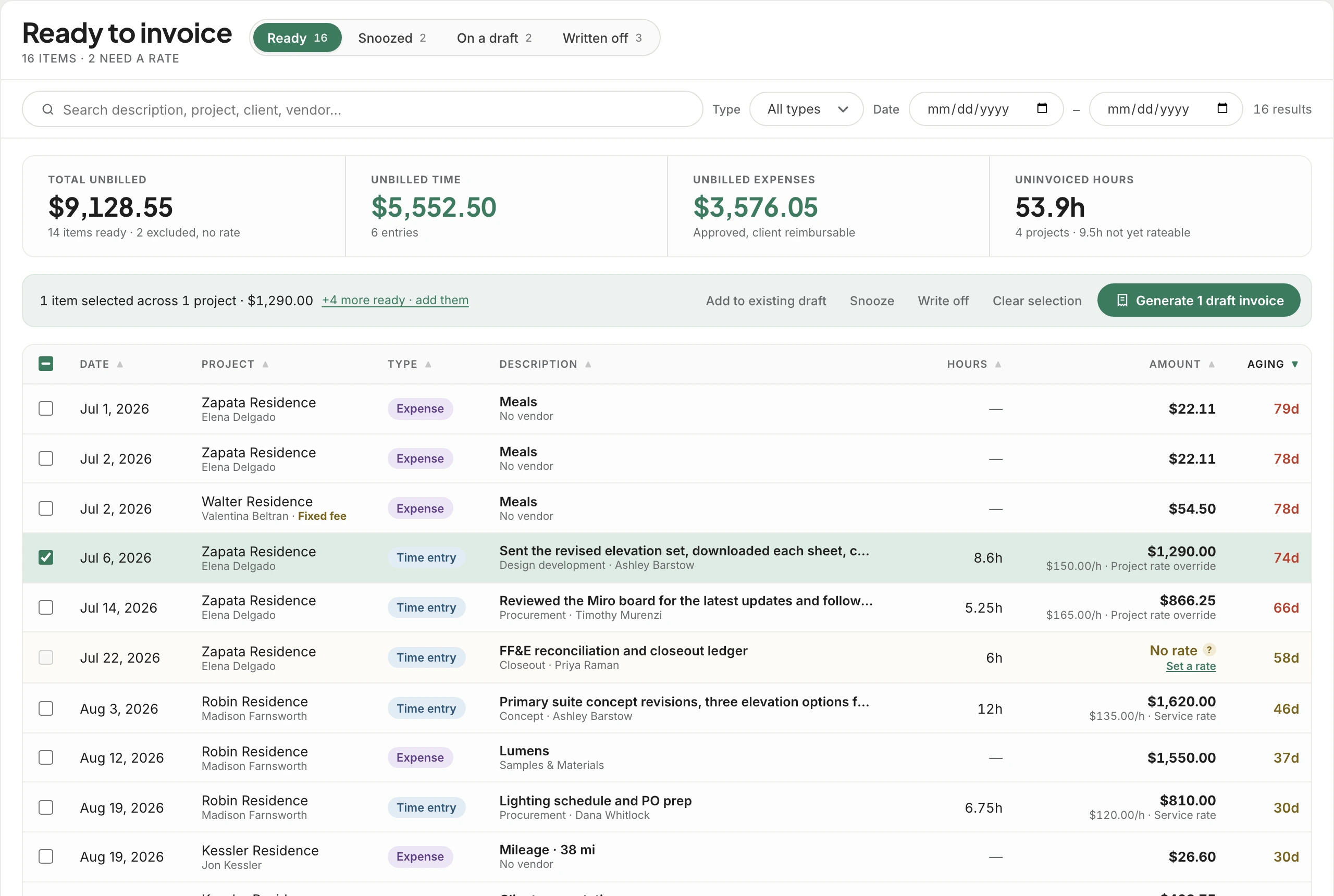
Ready to invoice gathers every unbilled hour and approved reimbursable expense, from every project, into one list. Pick what’s ready and Workroom drafts one invoice per project. Anything you choose not to bill leaves with a reason, so you always know what you gave away.
Trusted by the studios doing the work
Select across as many projects as you like and Workroom creates one draft invoice for each, or adds the items to a draft you already started, chosen project by project. Nothing is sent from here. You review and send from Invoices.
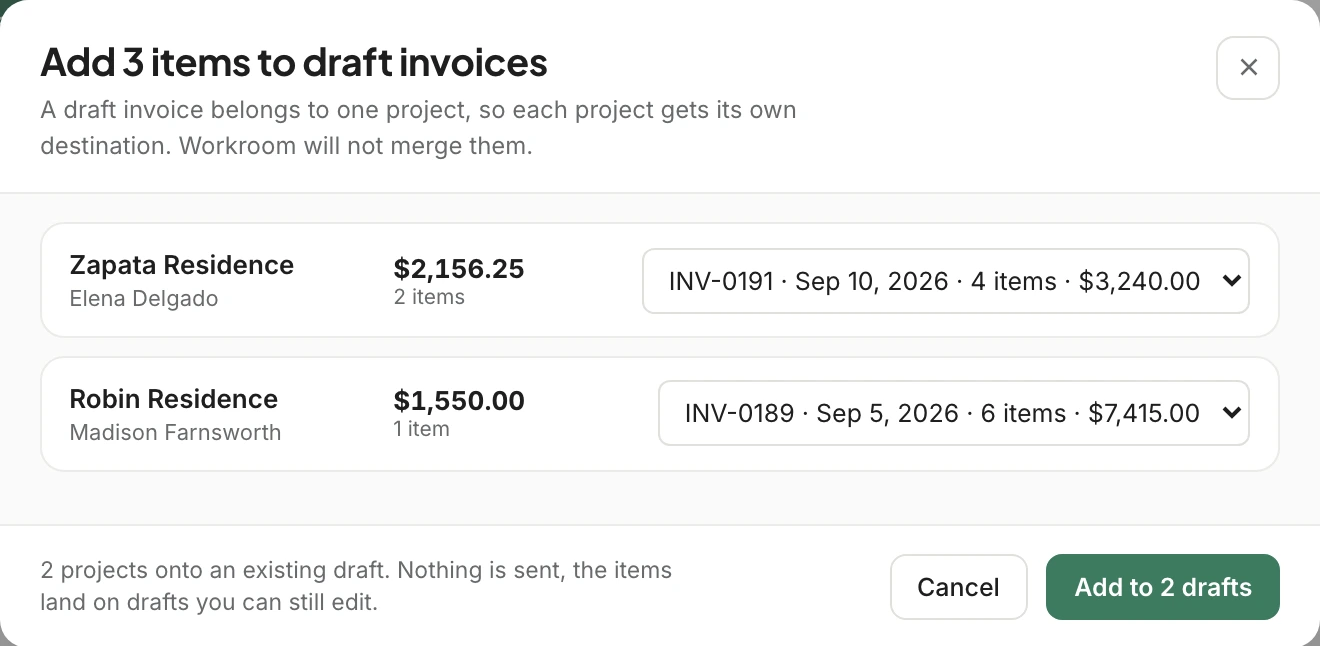
Each hour is priced from the project’s rate, the studio’s service rate or the person’s own billable rate, and the source sits right under the amount. Time logged with no rate at all is never dropped from the list: it’s flagged, left out of the totals, and one click from being fixed.
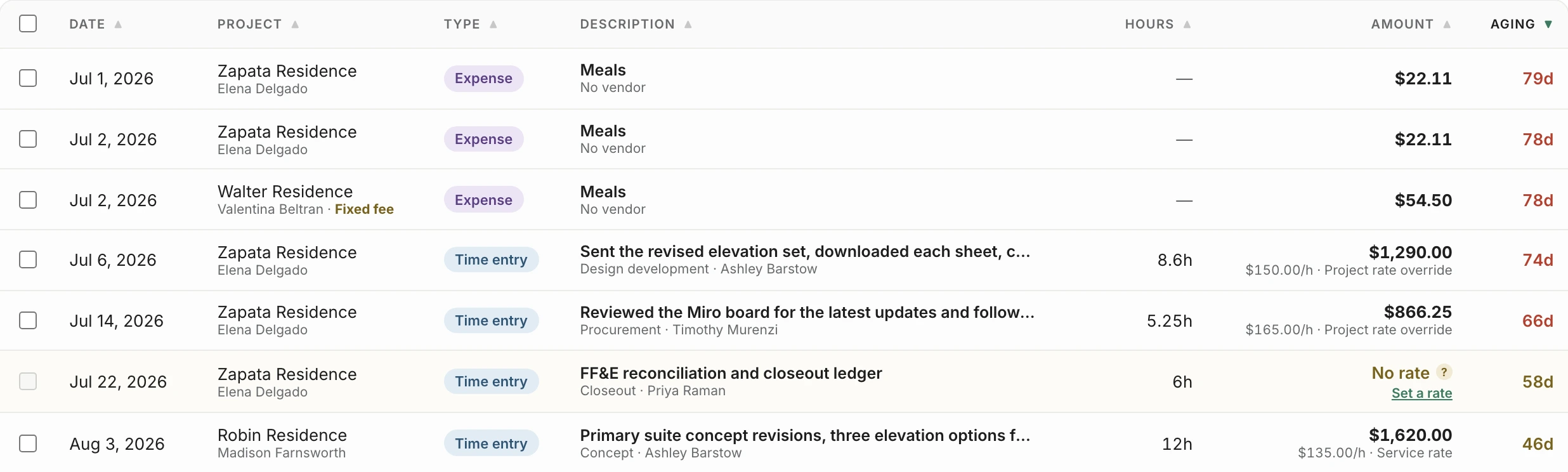
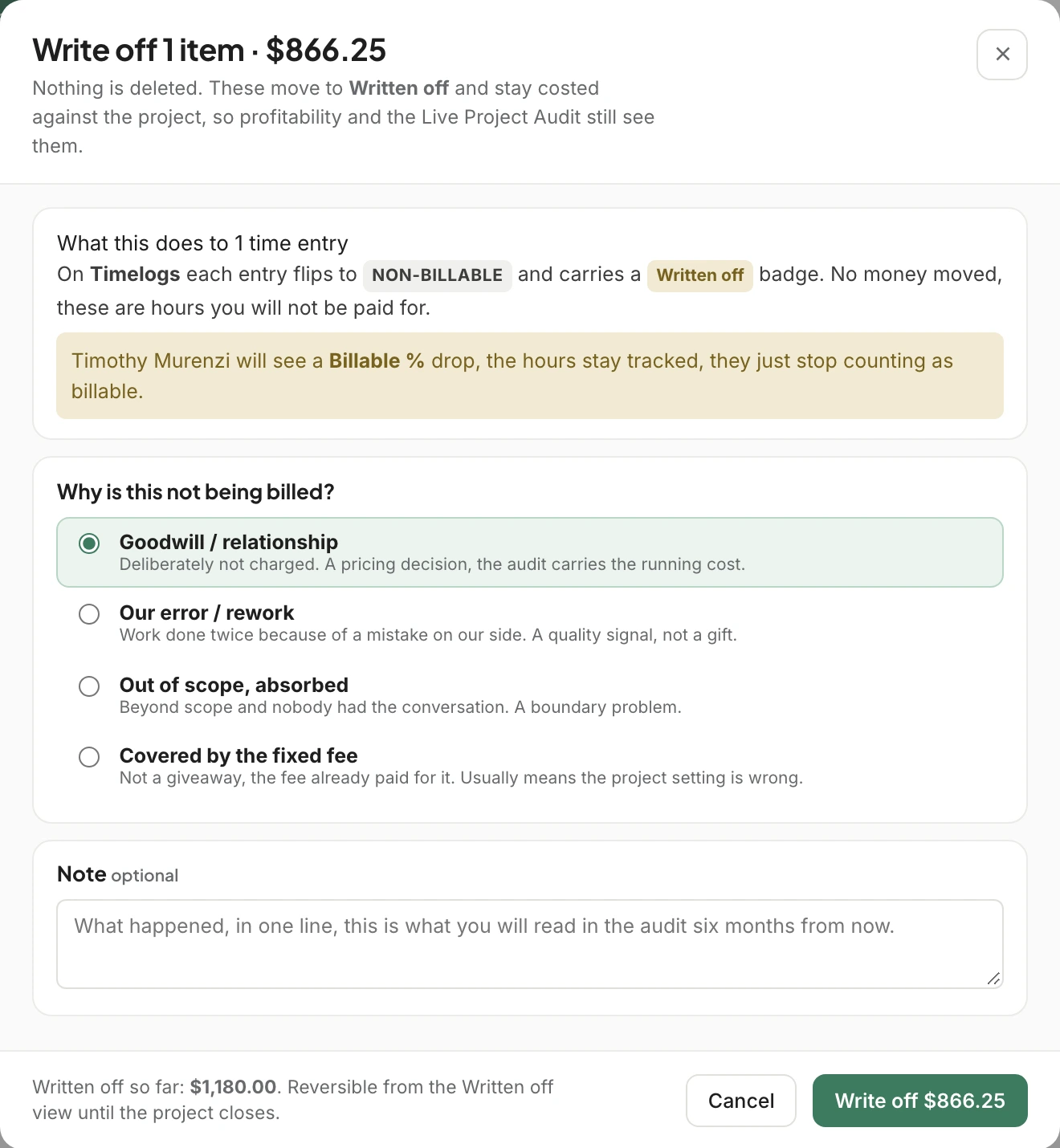
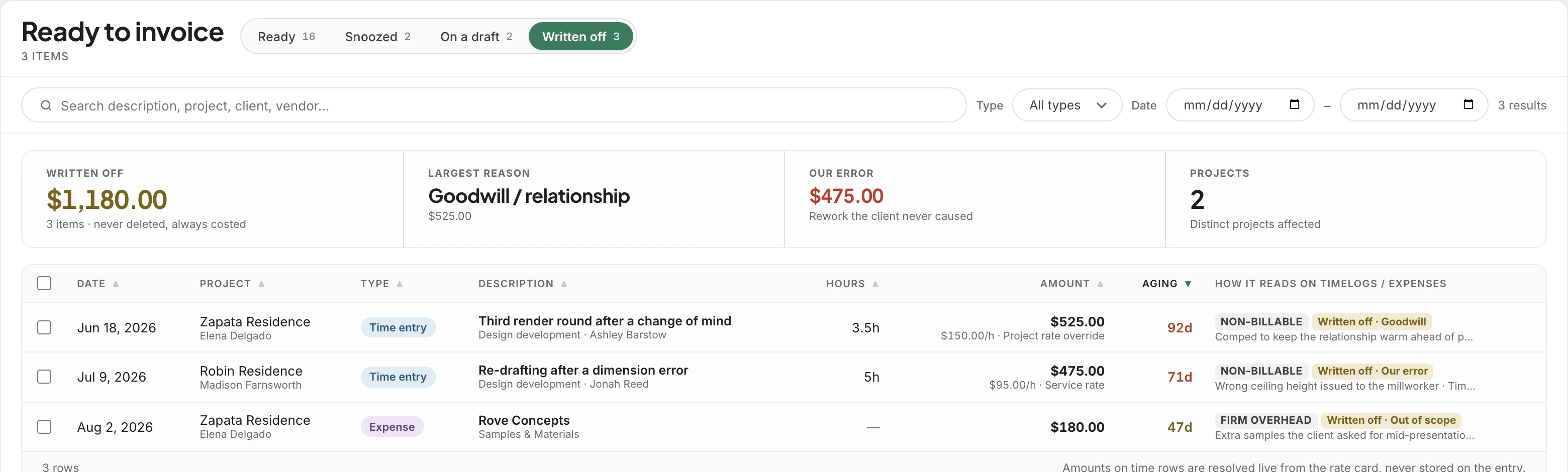
Sometimes the right call is not to charge. Write it off with one of four reasons: goodwill, our error, out of scope, or covered by the fixed fee. Nothing is deleted. The hours stay costed against the project, so profitability and the Live Project Audit still see them.
The Written off tab totals what the studio decided not to charge, names the biggest reason, and calls out how much was our own error. It’s the conversation about pricing and process you can finally have with numbers.
Owners and bookkeepers select, draft, write off and set rates. A project manager sees only their own projects, read-only, so they can chase what’s missing without touching the invoice. Designers never see the page. Anything a role can’t use is removed, never grayed out.
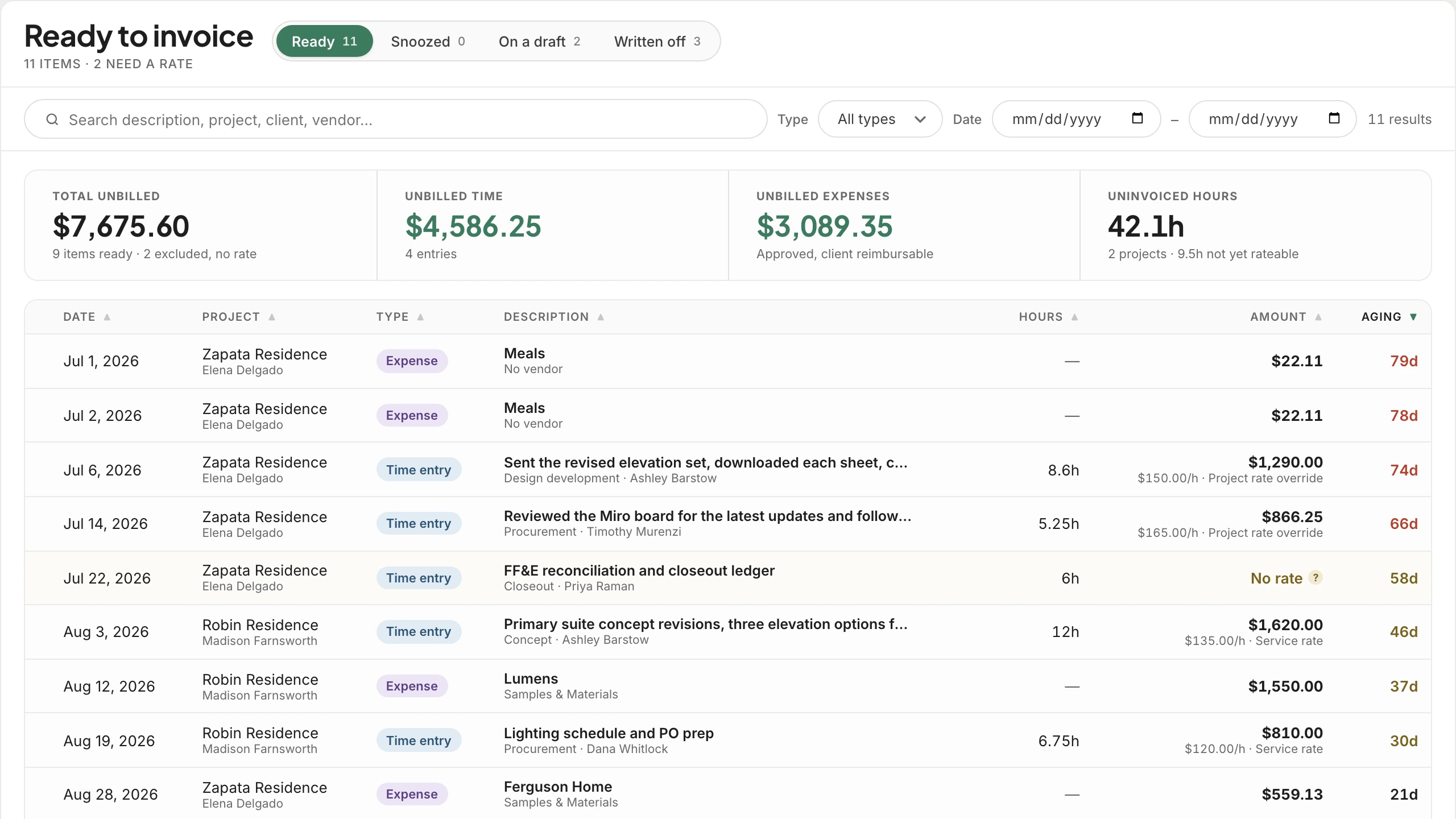
Billable hours from time tracking and approved reimbursable expenses arrive on their own. There’s nothing to import.
Every draft opens in Invoices, where you review the lines and send. The item shows which draft it’s on until the invoice goes out.
Written-off hours stay costed, so project profitability shows what a job really took, not just what was billed.
Not ready to bill this phase yet? Hold items for 30 or 60 days or until a date you pick, and they come back to the list on their own.
Type a project or a client and filter to just their work, then narrow by time or expenses and a date range.
Anything unbilled for more than 30 days turns amber, and red after 60, so the oldest money is the first thing you see.
No. It creates draft invoices, one per project, or adds items to a draft you already have. You review and send them from Invoices.
It stays on the list, marked No rate, and is left out of the totals so nothing is billed at zero. Set the rate and it’s ready to invoice like everything else.
No. Written-off hours stay on the project and stay costed, so profitability and the Live Project Audit still see them. The Written off tab keeps every decision with its reason.
Owners and bookkeepers can act on it. Project managers see their own projects, read-only. Designers don’t see the page at all.
Fixed-fee projects are marked on every row, and “Covered by the fixed fee” is its own write-off reason, so hours the fee already paid for are recorded honestly rather than billed twice.
We’ll open Ready to invoice on a real studio’s work and turn a month of unbilled time into drafts in one click.