Undo send and send later
Catch the email you sent too soon, or schedule it for a sensible hour.
Workroom Email sorts your inbox by who’s writing, from clients and vendors to contractors and new leads, and keeps the project beside every thread. It’s built and waiting on Google’s security review. Join the waitlist and we’ll tell you the day it switches on.
Trusted by the studios doing the work
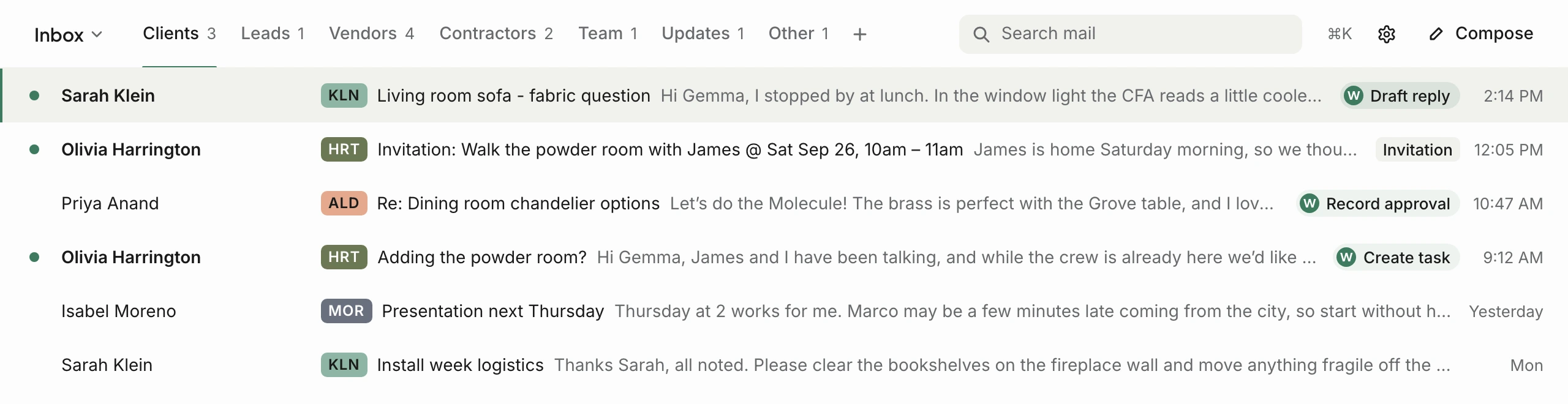
Every email lands in a lane: clients, leads, vendors, contractors, your team, updates or other. Workroom already knows your contacts, so it knows who’s a client and who’s a vendor. Make your own lanes by sender, domain or project, or switch to a classic single inbox.

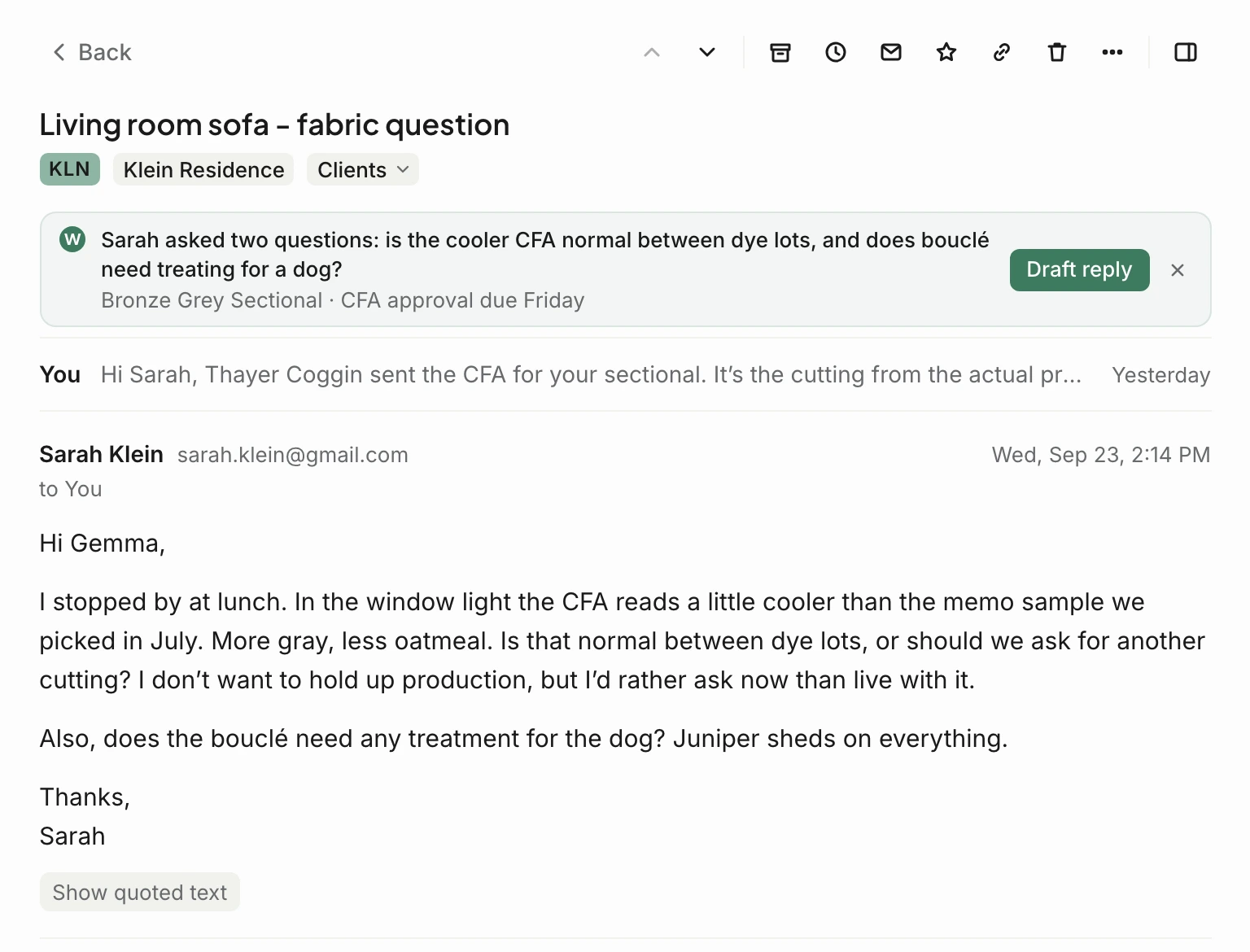
Every thread carries its project, and Walter reads the email so you don’t have to start from scratch: a one-line summary of what the client is asking, with a reply drafted when you want one. Type @ to put an estimate or an invoice into your reply as the same live card Comms uses, so the client sees where it stands today.
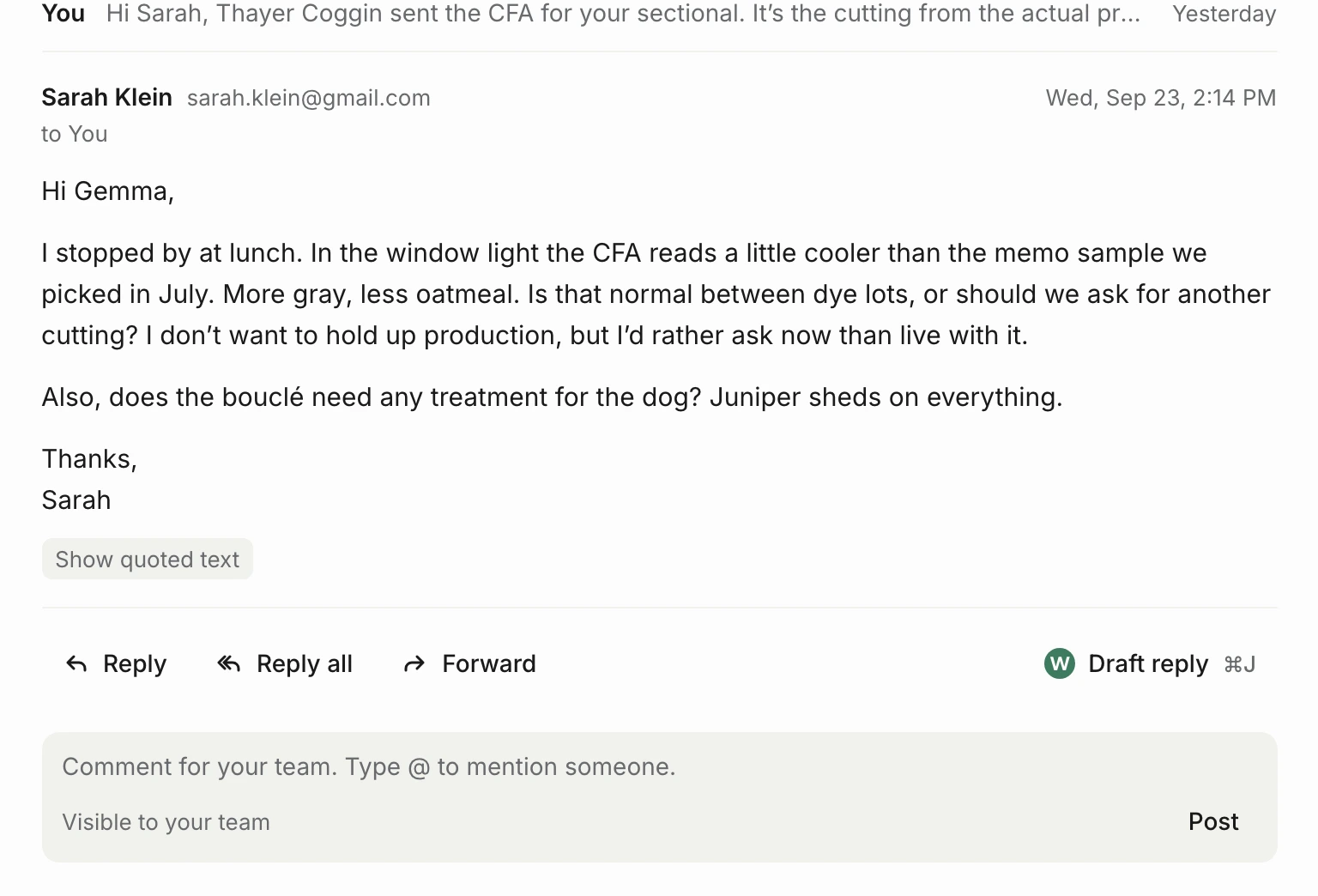
Leave a note for a teammate right on the thread, assign it to whoever should answer, and see when someone else is already replying. The client only ever sees the reply.
Catch the email you sent too soon, or schedule it for a sensible hour.
Snooze a thread until you need it, and get a reminder if nobody replies.
Save the replies you write every week, with the client’s name filled in for you.
Move through the inbox without the mouse, and open any command from one shortcut.
Say “attached” without attaching anything and Workroom asks before it sends.
Drafts, spam and block sender, unsubscribe, out of office, print and download, all where you’d look for them.
It’s built and waiting on Google’s security review. We’ll switch it on as soon as it clears, and people on the waitlist hear first. You can follow it on the roadmap.
Yes. It connects to your Google mailbox, so your email address, your history and your mail stay where they are. Workroom adds the lanes, the project context and the team tools on top.
Yes. Workroom Email is one of the add-ons on the pricing page.
Never. Team notes and assignments stay inside Workroom. Your client only ever receives the reply you send.
Comms is where clients approve, sign and pay inside the project. Email is for everything that still arrives as email, now sorted and tied to the same projects.
Join the waitlist and we’ll email you the day Workroom Email is live, with a walkthrough if you want one.