Client portal
Your mark, colors and photography head every page of the client’s view of the project. See the portal.
Every page, portal, form, invoice and notification your clients open can carry your studio’s name, logo and colors, with nothing to show the software underneath. Turn off “Powered by Workroom” and the whole client-facing experience becomes your studio’s. Your team still works in Workroom. Your clients just see you.
Trusted by the studios doing the work
Right now, the pages and emails your clients receive end with a small “Powered by Workroom.” White-label removes it and puts your studio’s name there instead. Same page, same email, your name on the bottom.
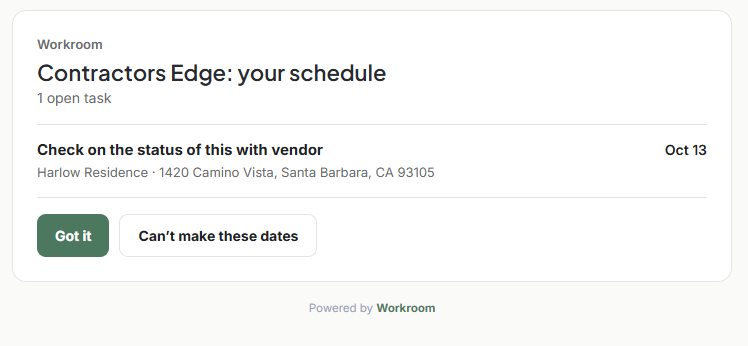
White-label covers every surface a client meets, so the brand never breaks from the first form to the final invoice.
Your mark, colors and photography head every page of the client’s view of the project. See the portal.
Estimates and approval pages clients open and sign carry your studio’s name and look, not ours.
The forms you send new clients and leads are branded to the studio, with no Workroom footer on the page.
The invoice a client reads and the page they pay on are yours, down to the name at the bottom.
The requests a client gets, like confirming a date or a status, arrive in your studio’s name.
Drawings, documents and any link you share open on a branded page, never a generic one.
White-label only changes what your clients see. Inside, your team works in Workroom exactly as before, with every module, report and automation in place. Nothing about how the studio runs changes. Only the name on the client’s side does.
Every client-facing page, portal, form, invoice and notification carries your studio’s name, logo and colors, and “Powered by Workroom” is removed. Your team keeps working in Workroom as normal.
There’s no Workroom name or logo on the pages, forms or emails they receive. They see your studio, start to finish.
Yes. White-label changes the client-facing layer only. Inside, your team works in Workroom with everything it does.
Yes. Set your mark, colors and typefaces for the studio, and tune them for a single client if you want. Use Preview to check a client’s view before they see it.
White-label is for studios that want a fully branded client experience. Book a demo or talk to us, and we’ll set it up with you.
We’ll open a real project as your client would, then show the same thing with your brand on every page.