Your week, your start day
Start the week on Sunday or Monday, and show or hide weekends.
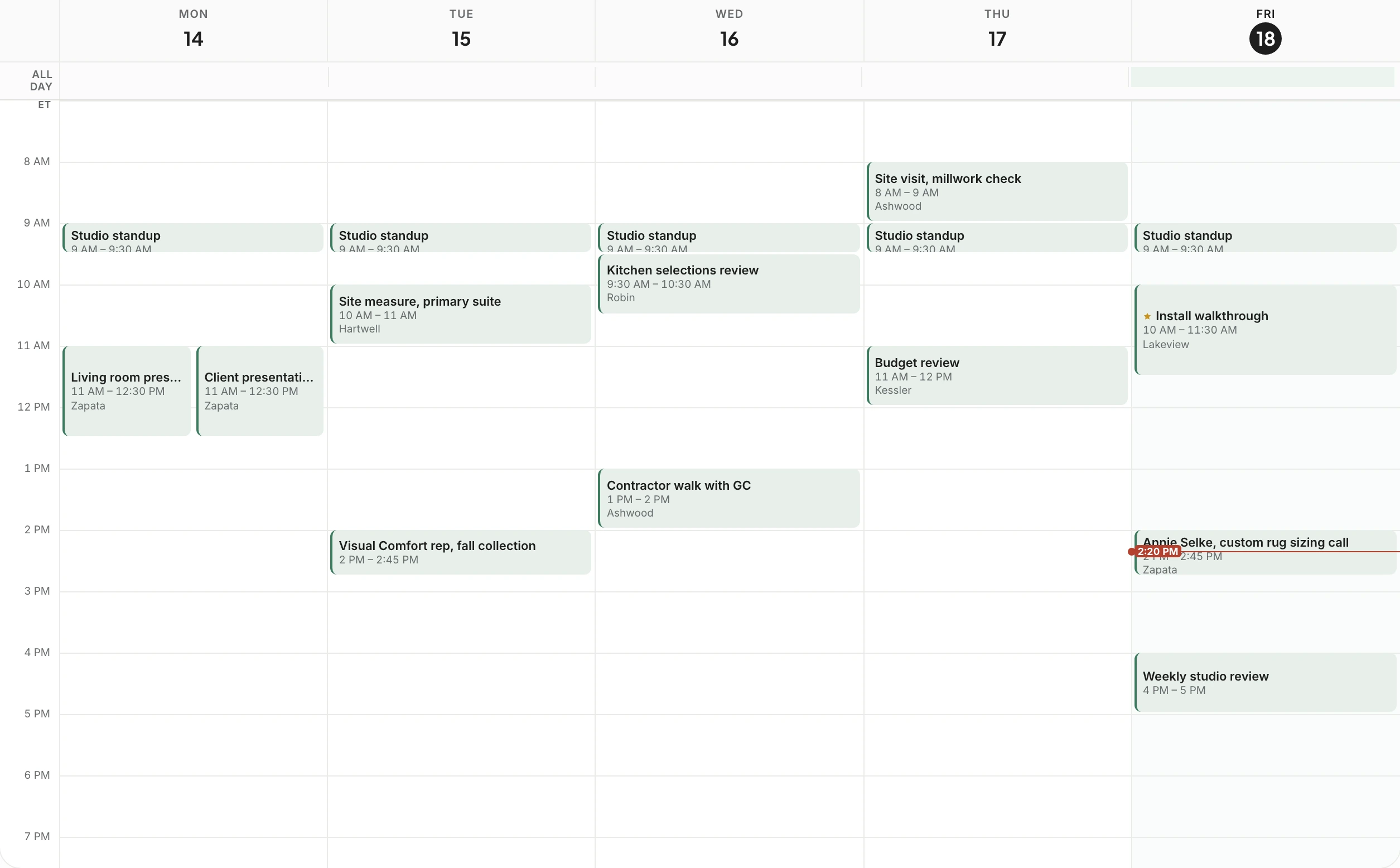
Client meetings, site visits, showroom appointments and studio time, for the whole team or a single project. See the week at a glance, drag a meeting to move it, and invite clients from the same place.
Trusted by the studios doing the work
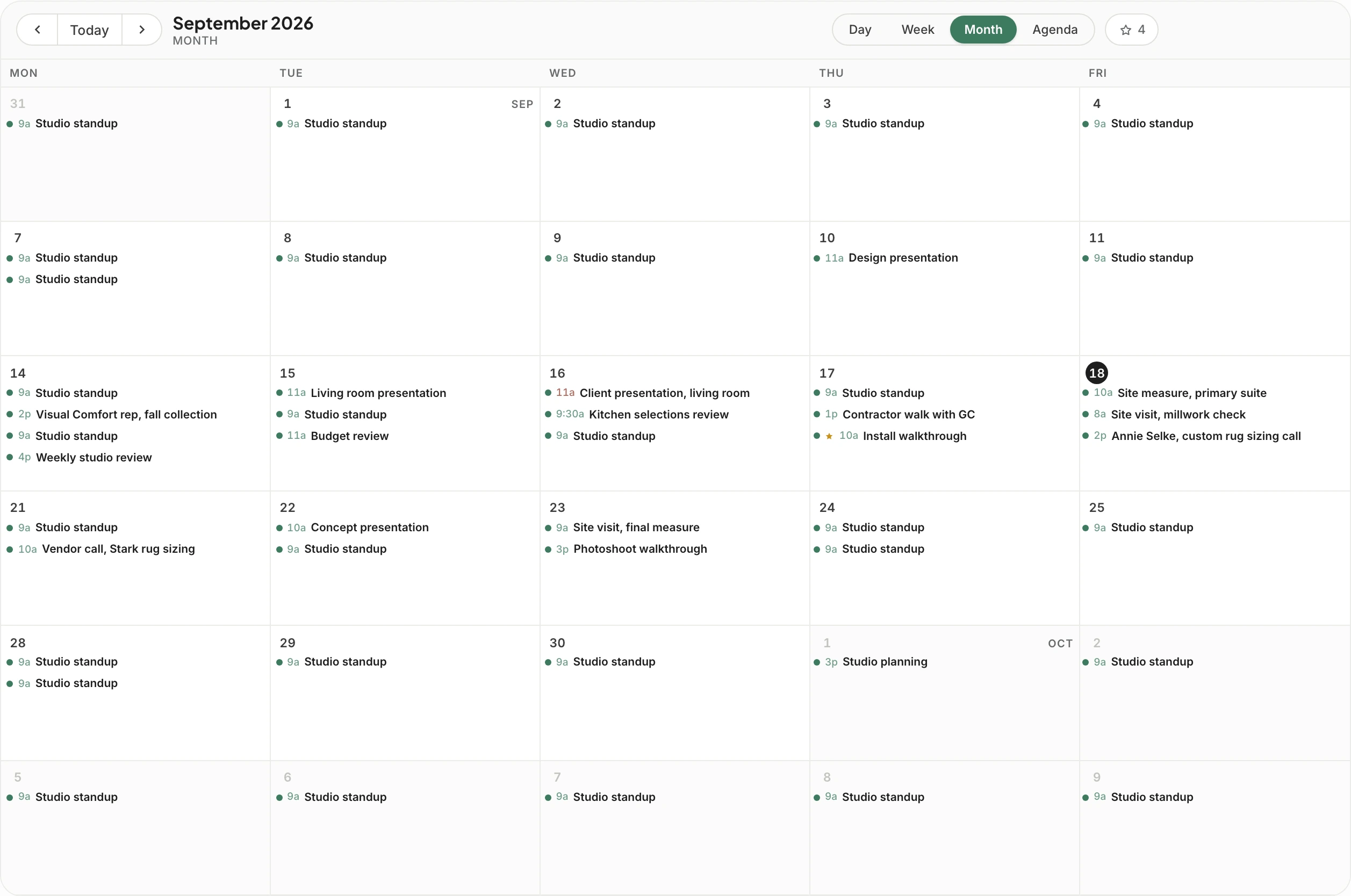
Plan the week in hours, scan the month for what’s coming, or read the agenda as a list on your way to a site visit.
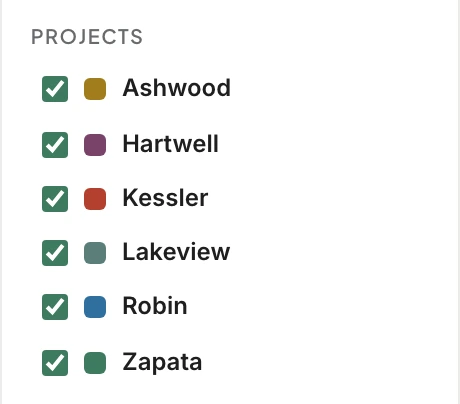
Every day lists its meetings with the time and a dot in the project’s color, so a busy week stands out before you open it.
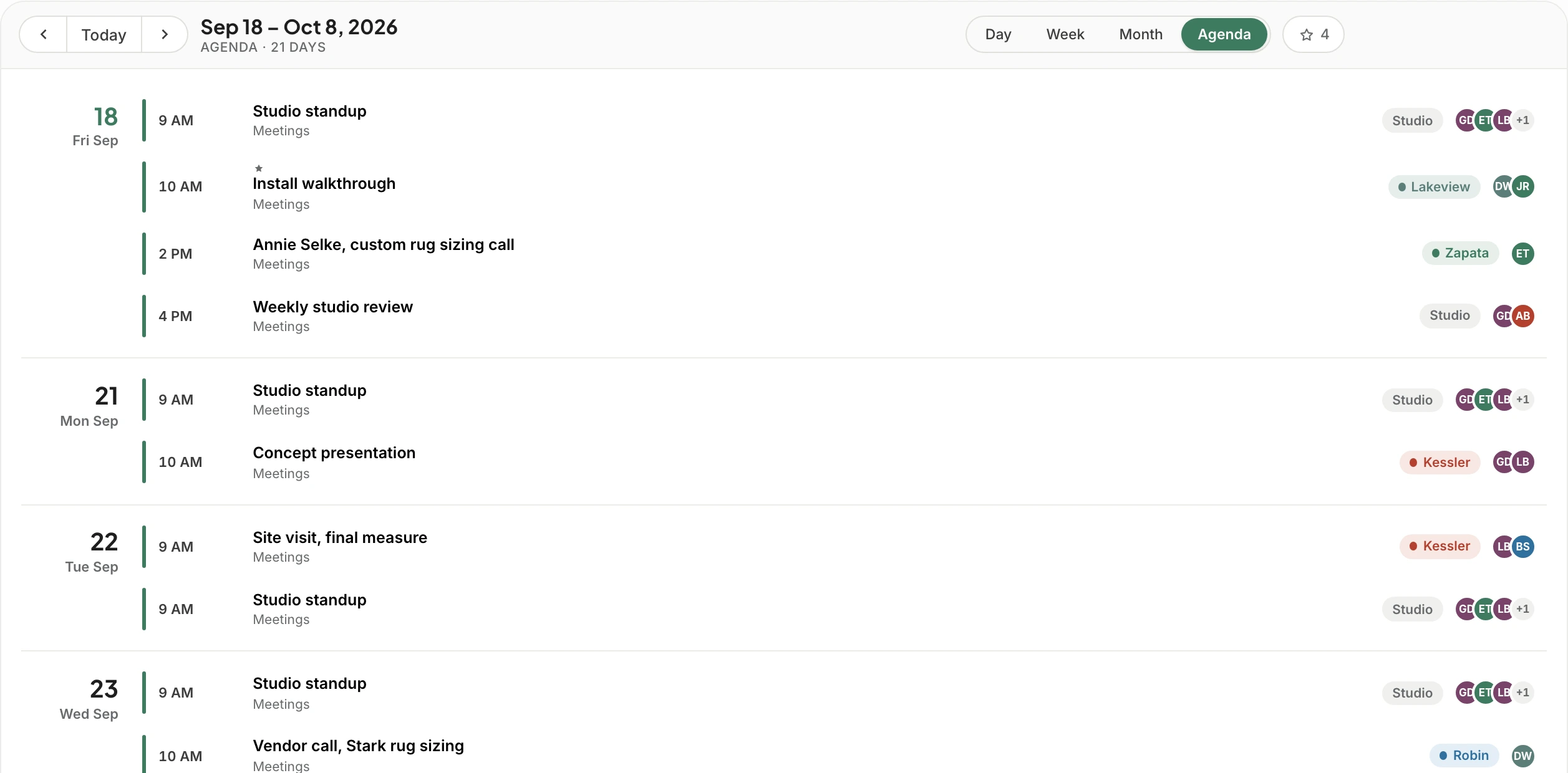
Everything coming up, in order, grouped by day. It’s the view to read at the start of the day or between appointments.
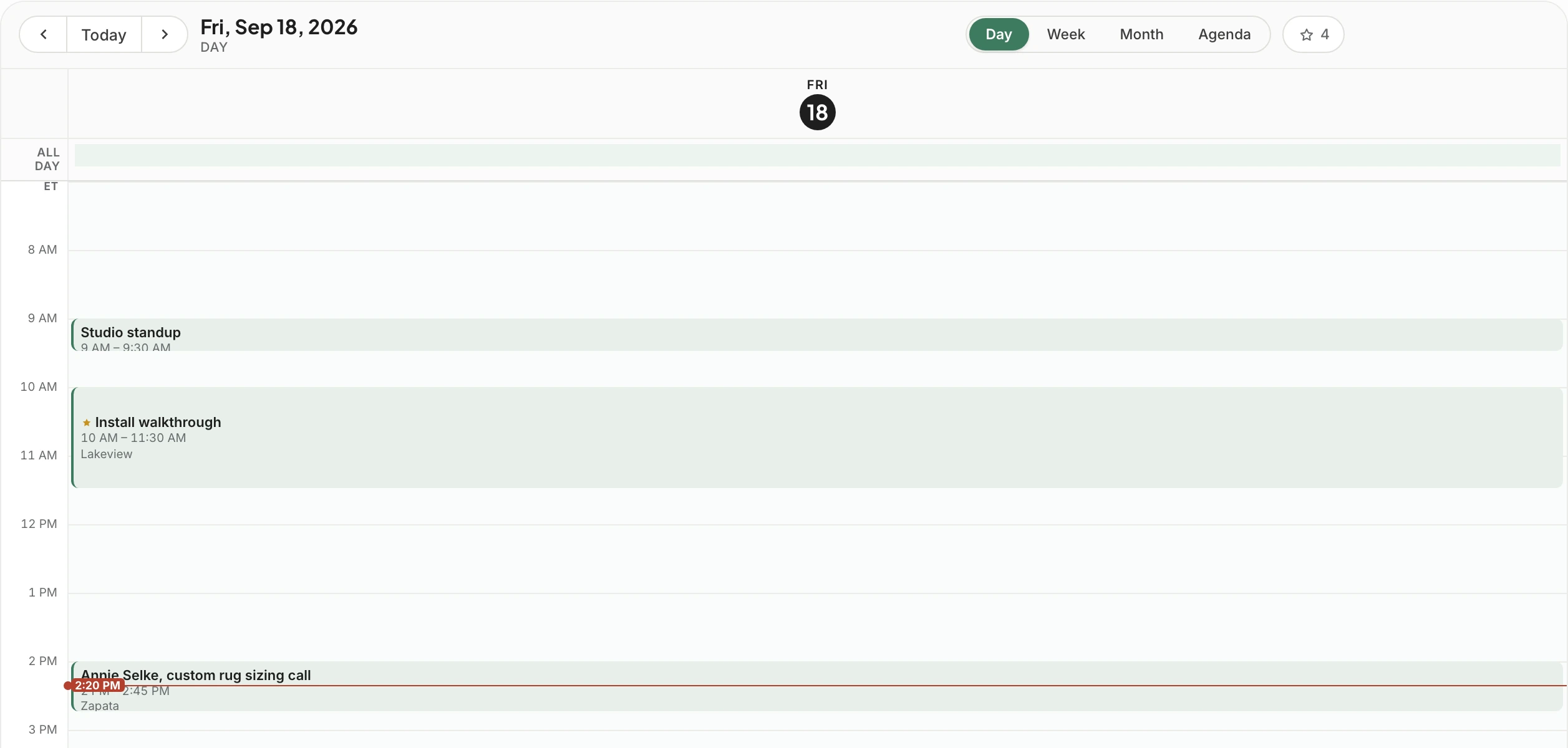
Zoom in on a full day of site visits and calls, with a second time zone alongside when a client lives somewhere else.
Create a meeting from the calendar with the time, the place, the guests and the reminders, tied to the project it’s about. Duplicate it for next month’s review, or drag it to a new slot when the client asks to move.
The studio calendar shows everyone’s week. Open a project and its calendar shows only that project’s meetings. Color meetings by project or by kind, and rename each calendar to match how your studio talks.
Start the week on Sunday or Monday, and show or hide weekends.
Work in your own time zone and keep a second one alongside for a client or a project in another city.
Stretch the hours when the day is full, and pull back to see the whole week.
Color by project or by kind of meeting, and change any color or calendar name at any time.
Each person sees what their role allows, so a new assistant can run the week without seeing everything.
A client invited to a meeting finds it in their client portal, and never sees the rest of your calendar.
Google Calendar sync is built and waiting on Google’s security review. We’ll switch it on as soon as it clears, and you’ll see it on the roadmap first.

Only the meetings they’re invited to, and only in their client portal. The rest of the studio’s calendar stays with your team.
Yes. The studio calendar shows everyone’s week, and each project has its own calendar with only that project’s meetings.
Google Calendar sync is coming soon. It’s built and waiting on Google’s security review, and we’ll switch it on as soon as it clears.
Yes. Color meetings by project or by kind, change any color, and rename calendars to match how your studio works.
Everyone sees what their role allows. Set it once in permissions, and the calendar follows it.
We’ll set up a week of your real meetings and show you the studio and project views side by side.