Approve estimates line by line
Clients read each line before they approve, or send it back with a question. Either way the answer lands on the estimate, with who and when.
Your clients get their own view of the project, in your studio’s branding: a note from you, what’s waiting on them, and every approval, signature and payment in one place. There’s nothing new for them to learn, because it’s the same Comms your team works in, filtered to what each person should see.
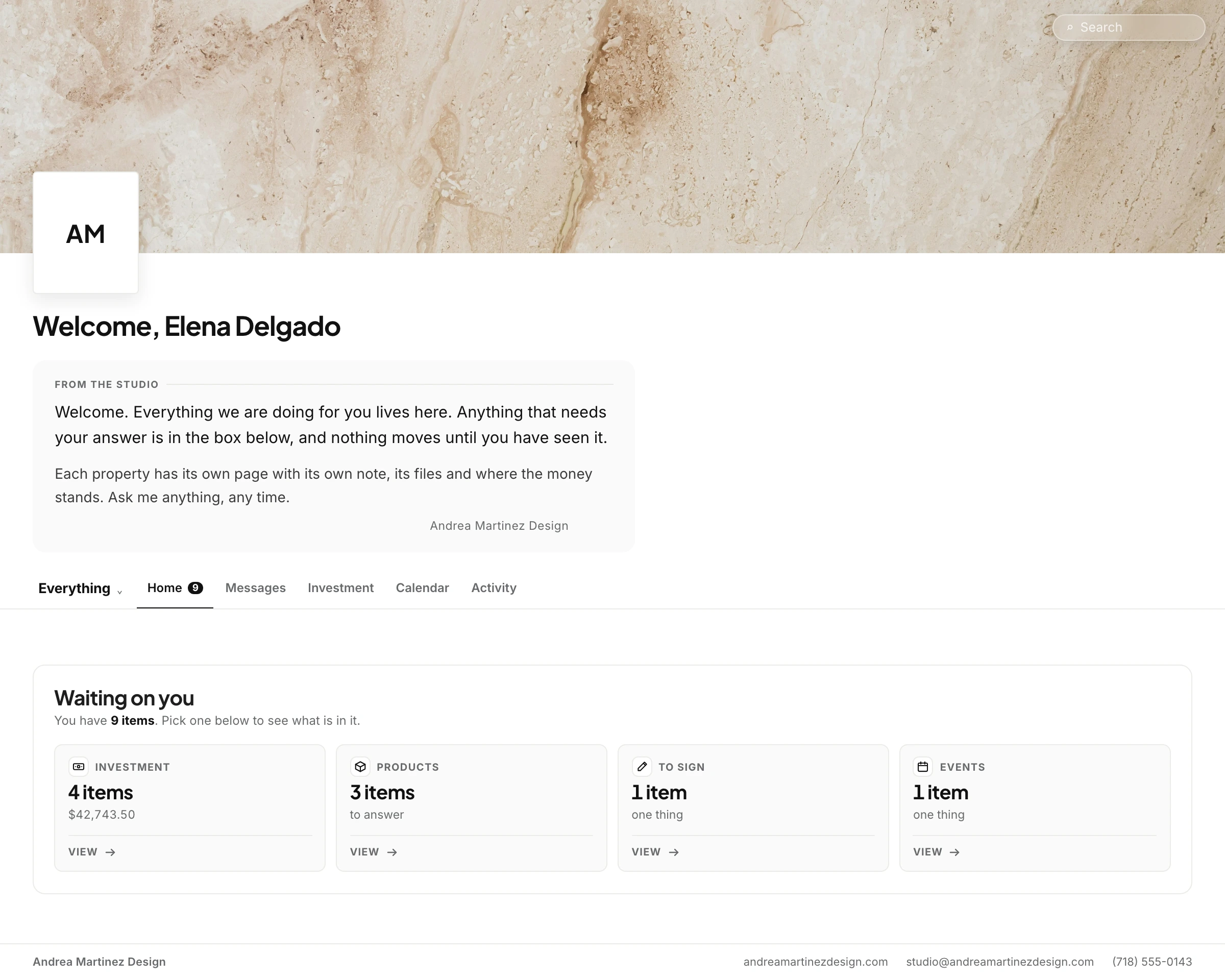
Trusted by the studios doing the work
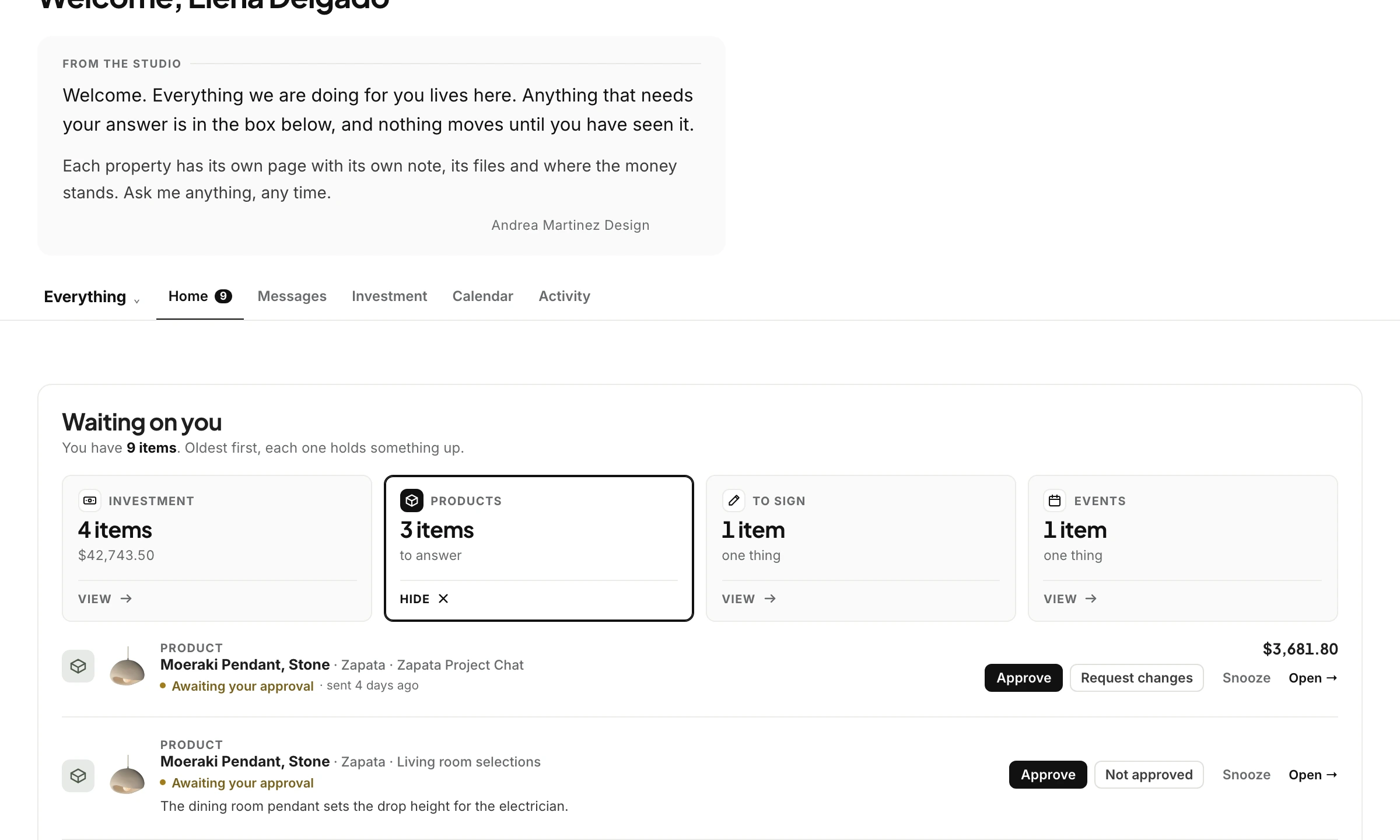
No feed to scroll and no unread badges to clear. Clients land on what’s waiting on them, grouped into investment, products, things to sign and events. Open a group and every item has its action right on the row: approve, request changes, or snooze it until next week.
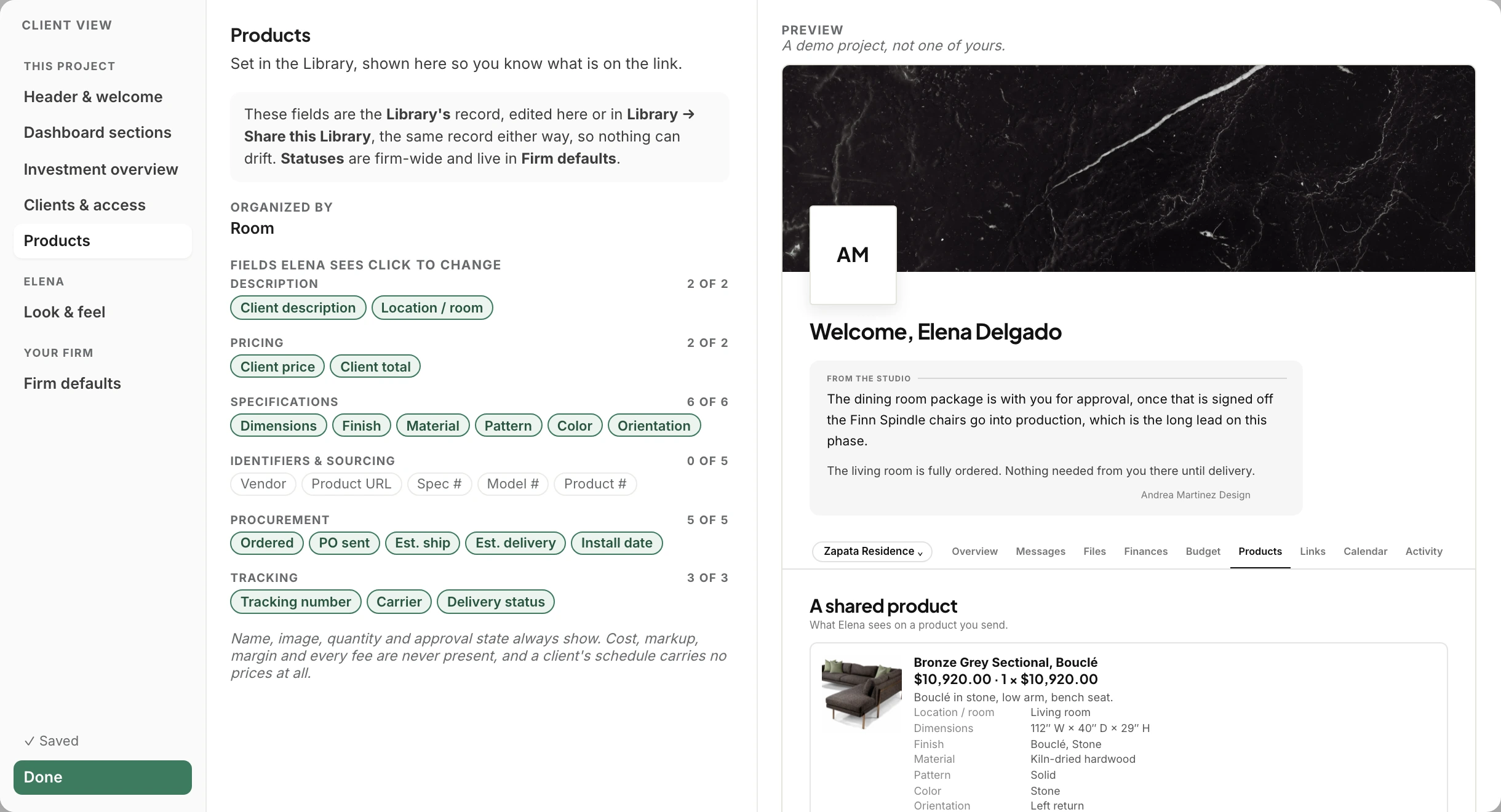
Anything a client isn’t allowed to see is simply absent from their screen, never blurred or grayed out. Choose which product details each client sees, set access for each person, and use Preview as to check exactly what they’ll see.
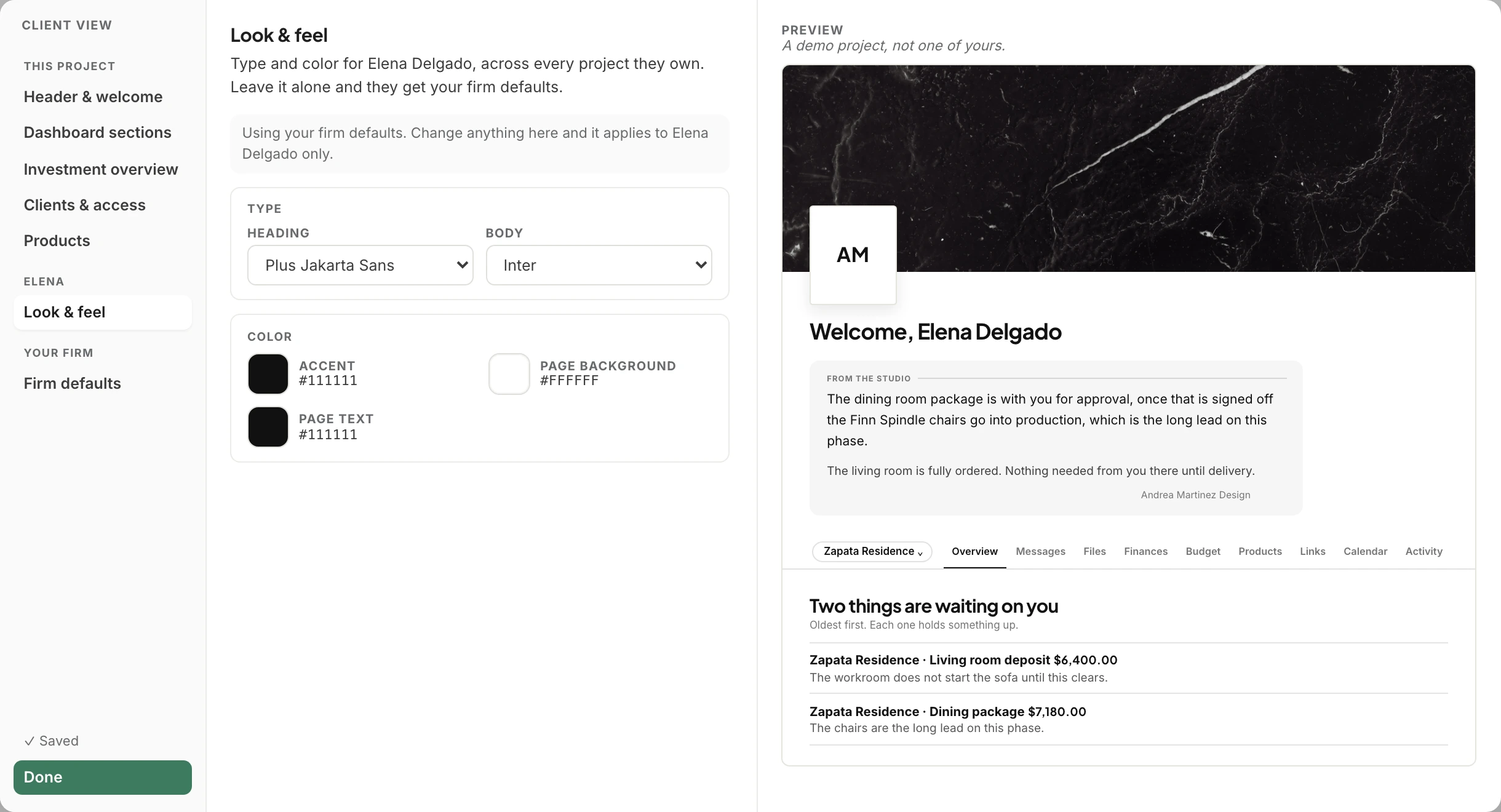
Your mark heads every page, your photography sits above each property, and the welcome page opens with a note you write. Pick the type and colors once for the firm, or tune them for a single client, and watch the preview change as you go.
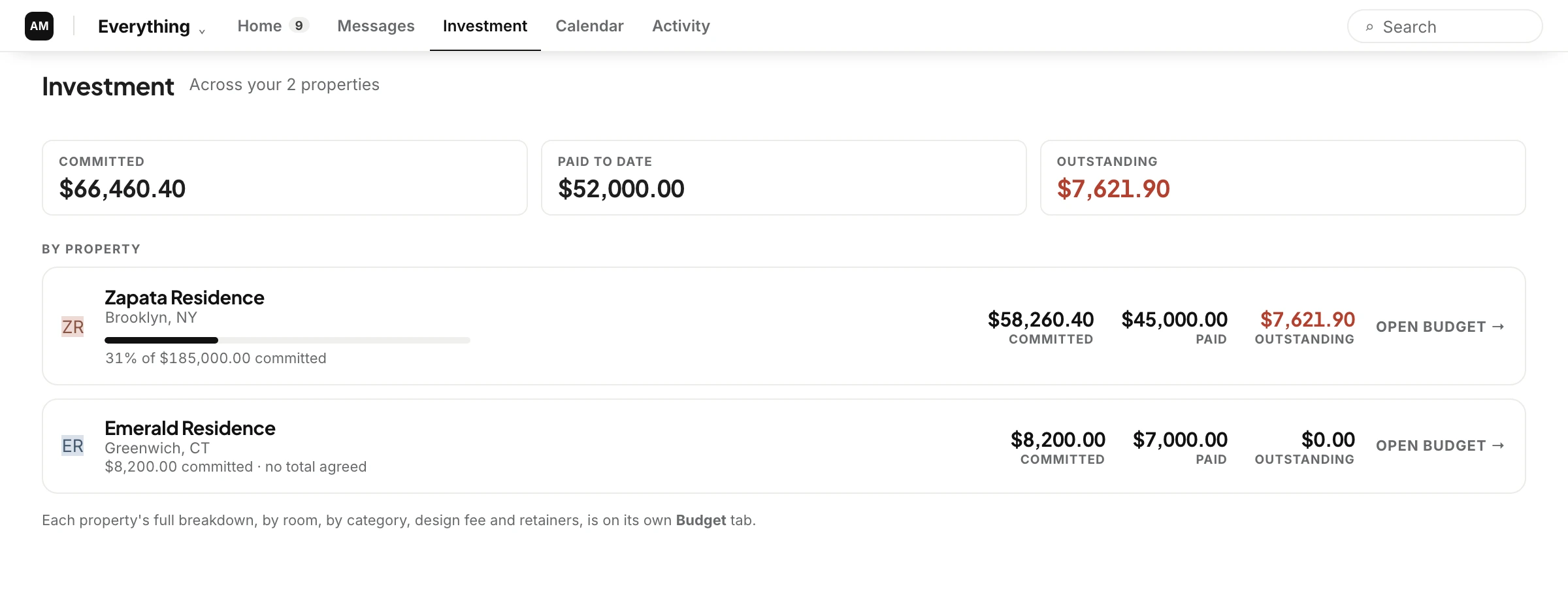
Clients see what they’ve committed, what they’ve paid and what’s outstanding, across every property they have with you, and open each property’s budget for the detail you choose to share.
Clients read each line before they approve, or send it back with a question. Either way the answer lands on the estimate, with who and when.
Agreements and change orders are signed in place, and the signed copy is saved to the project for both of you.
An invoice opens its payment page from the same card, and it shows as paid for everyone the moment it clears.
Clients see each product’s status as it moves, with live tracking and no prices, so “any news on the sofa?” stops being a phone call.
Drawings and documents appear for the client only when you switch them on, with the current version always on top.
A client with a city apartment and a beach house sees both projects, and everything waiting on them across the two, in one list.
No. It’s the client’s side of Comms, filtered to what each person should see. Your team works in the same place your clients decide, so there’s nothing to keep in sync.
No. Cost, markup, margin and profit never reach a client’s screen, and purchase order and bill amounts stay hidden. Hidden items are absent rather than grayed out, so there’s nothing to hover over or discover.
Yes. Access is set for each person, and clients are added to rooms one at a time. Use Preview as to see the portal exactly as a particular client will.
Yes. Your name, mark, colors and header photography appear throughout the client’s view, and the welcome page opens with a note from you. Your team’s own view stays the same.
They see every project they’re part of, and one list of everything waiting on them across all of them.
We’ll open a real project as your client would, then switch to your team’s view of the same conversation.