Versions that never overwrite
Upload a new version and say what changed. Restoring an older one makes a new version, so nothing is ever lost.
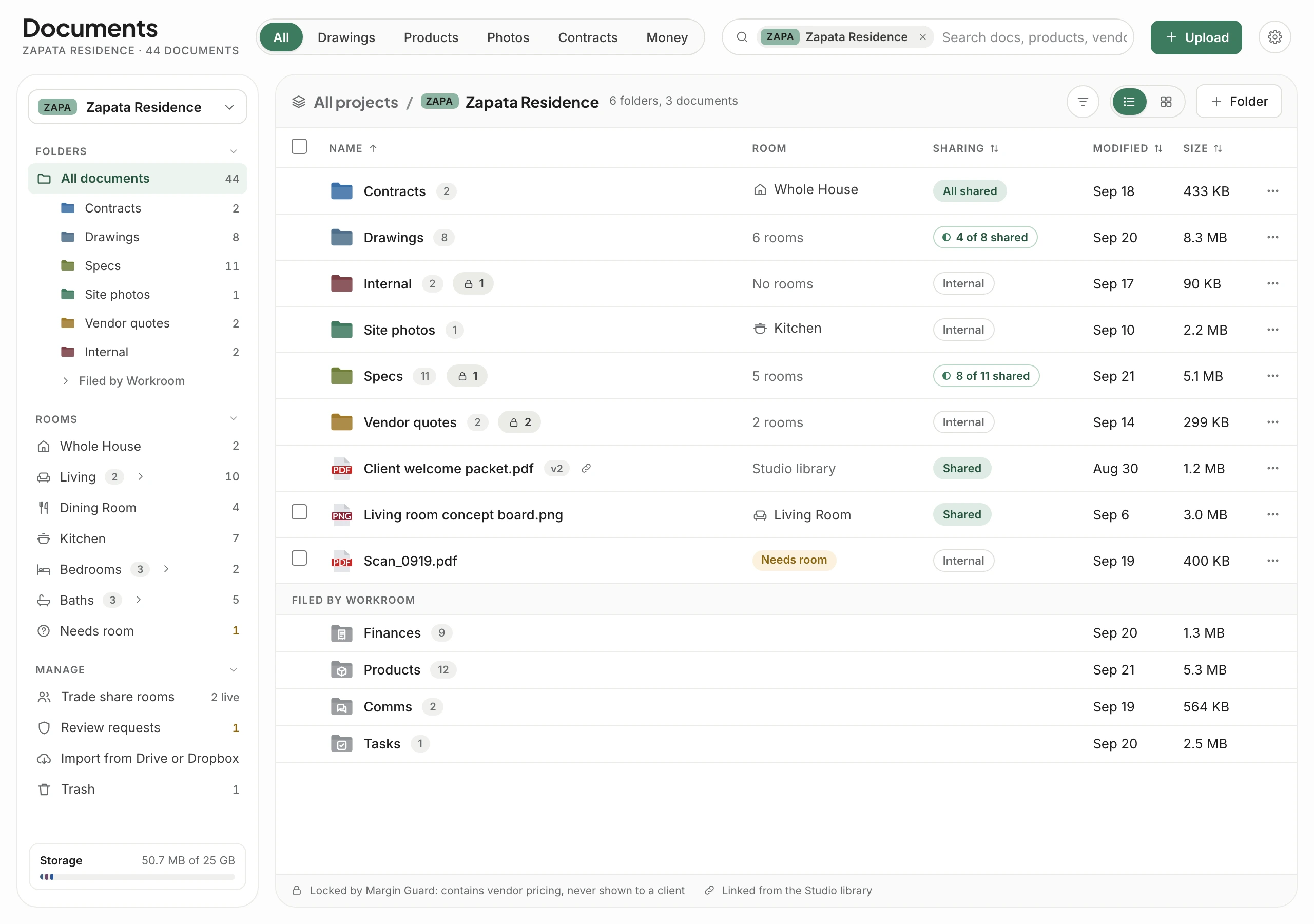
Drawings, spec sheets, quotes, contracts and site photos for every project live in one place, filed by room and linked to the products they describe. Anything attached elsewhere in Workroom is filed here too, and nothing carrying your trade pricing ever reaches a client.
Trusted by the studios doing the work
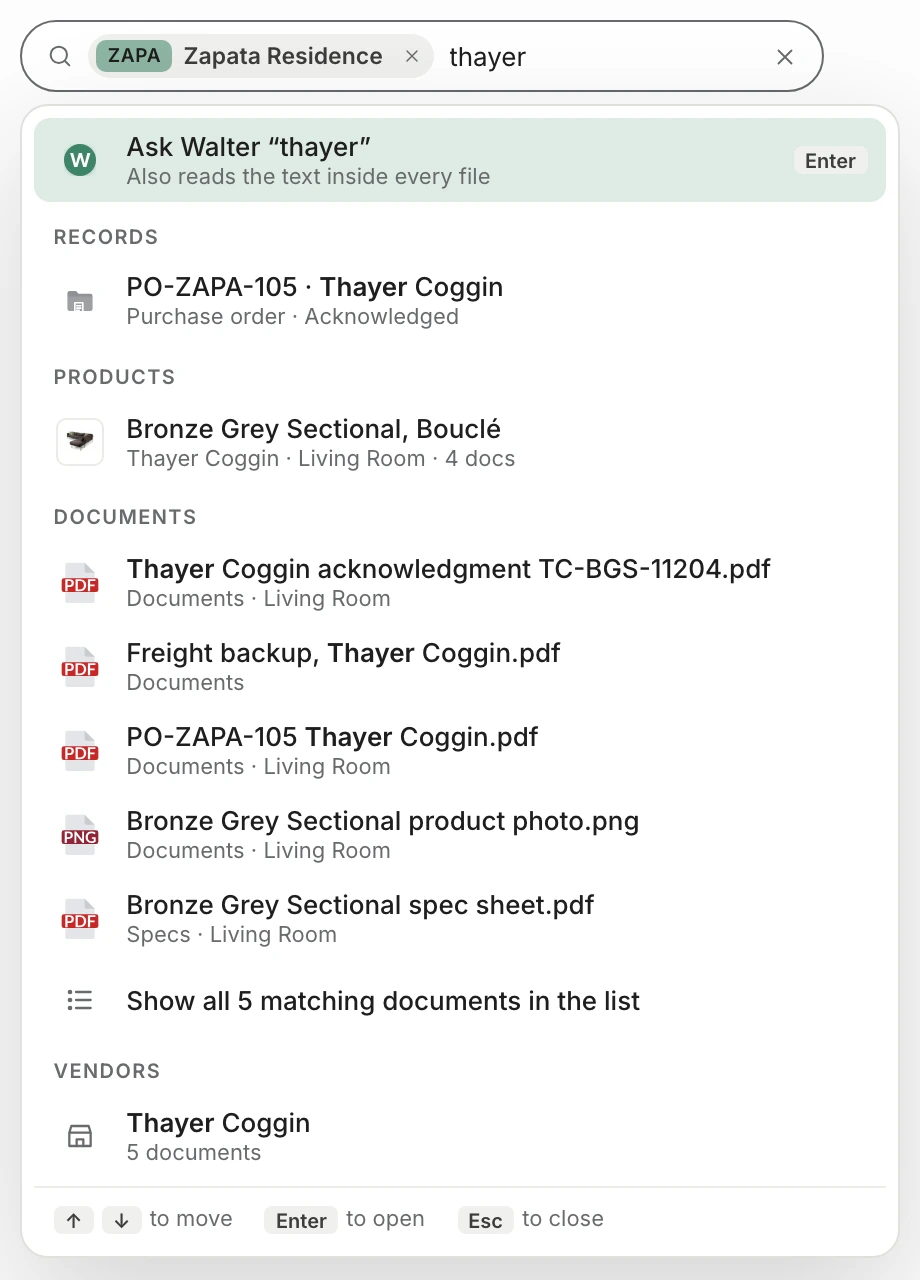
One search box covers projects, products, documents, records, folders, rooms, vendors and share rooms. Type “thayer” and you get the purchase order, the sectional it was for, every document tied to it and the vendor, before you finish the word.
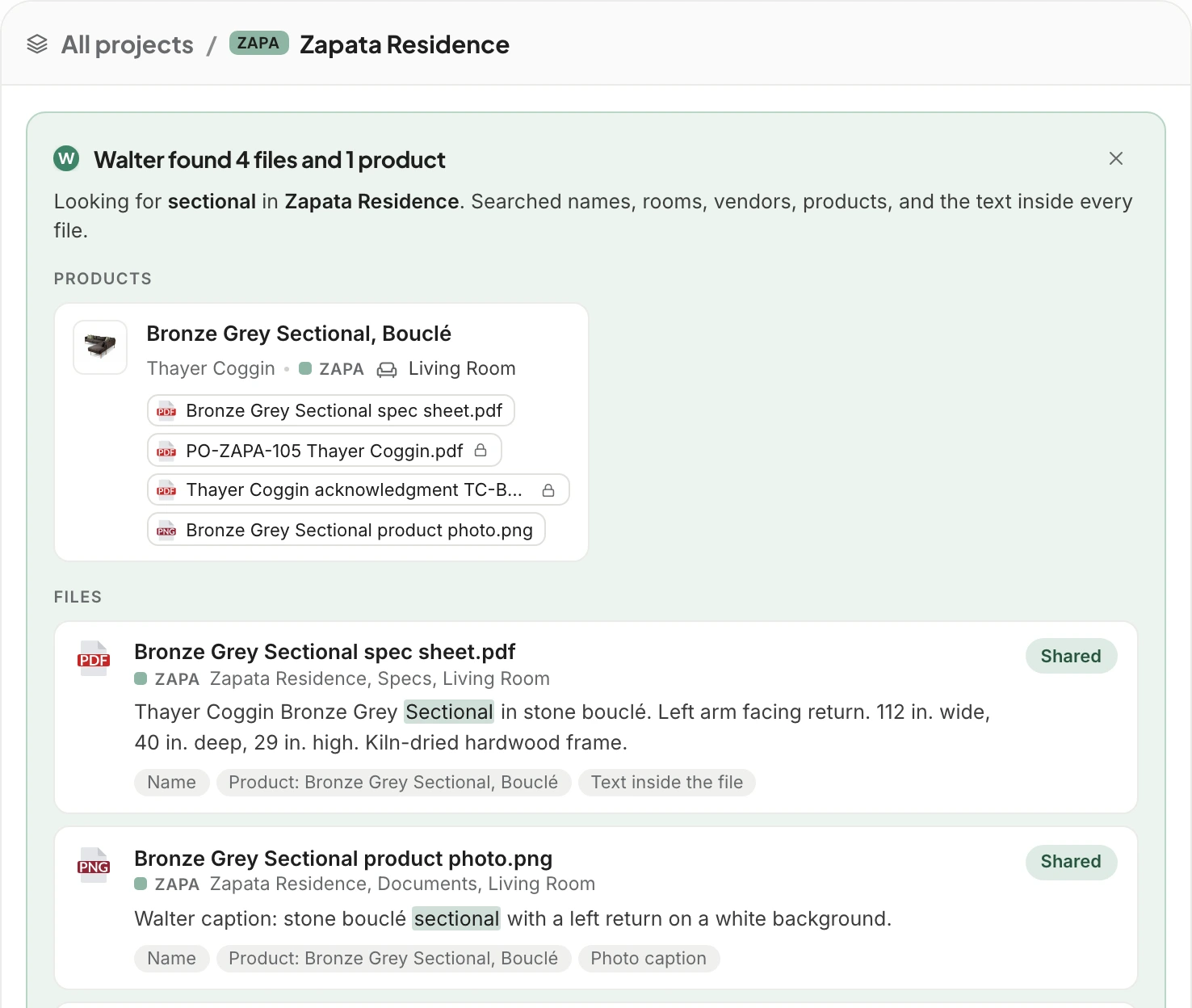
Press Enter and Walter reads the text inside every file, not just the name. Products come first, each with every document linked to it, then the files, with the matching words highlighted and the reason each one matched. Name a project in the question and Walter looks only there.
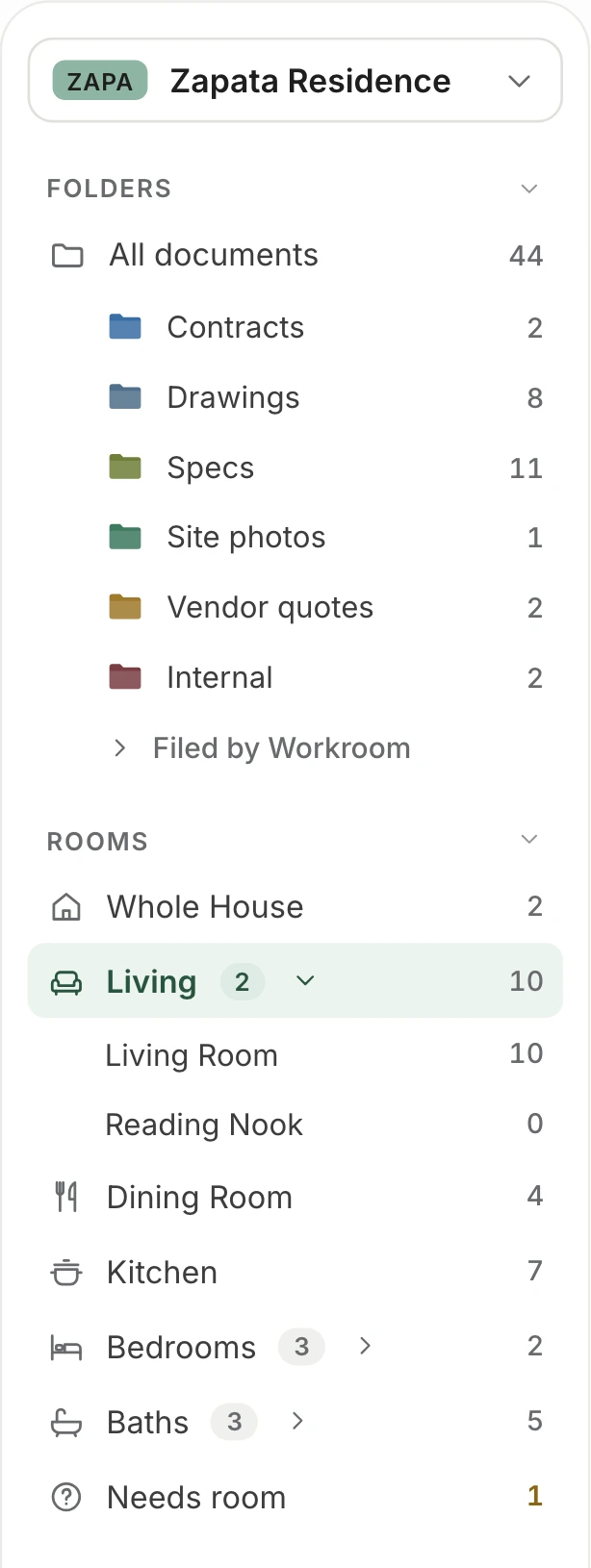
Rooms come from the room list in your settings, with the same names and codes your spec numbers use, so nobody retypes them for each project. A hundred rooms fold into about a dozen groups, from Living to Baths. Pick a room and you see every file for it, whichever folder it sits in.
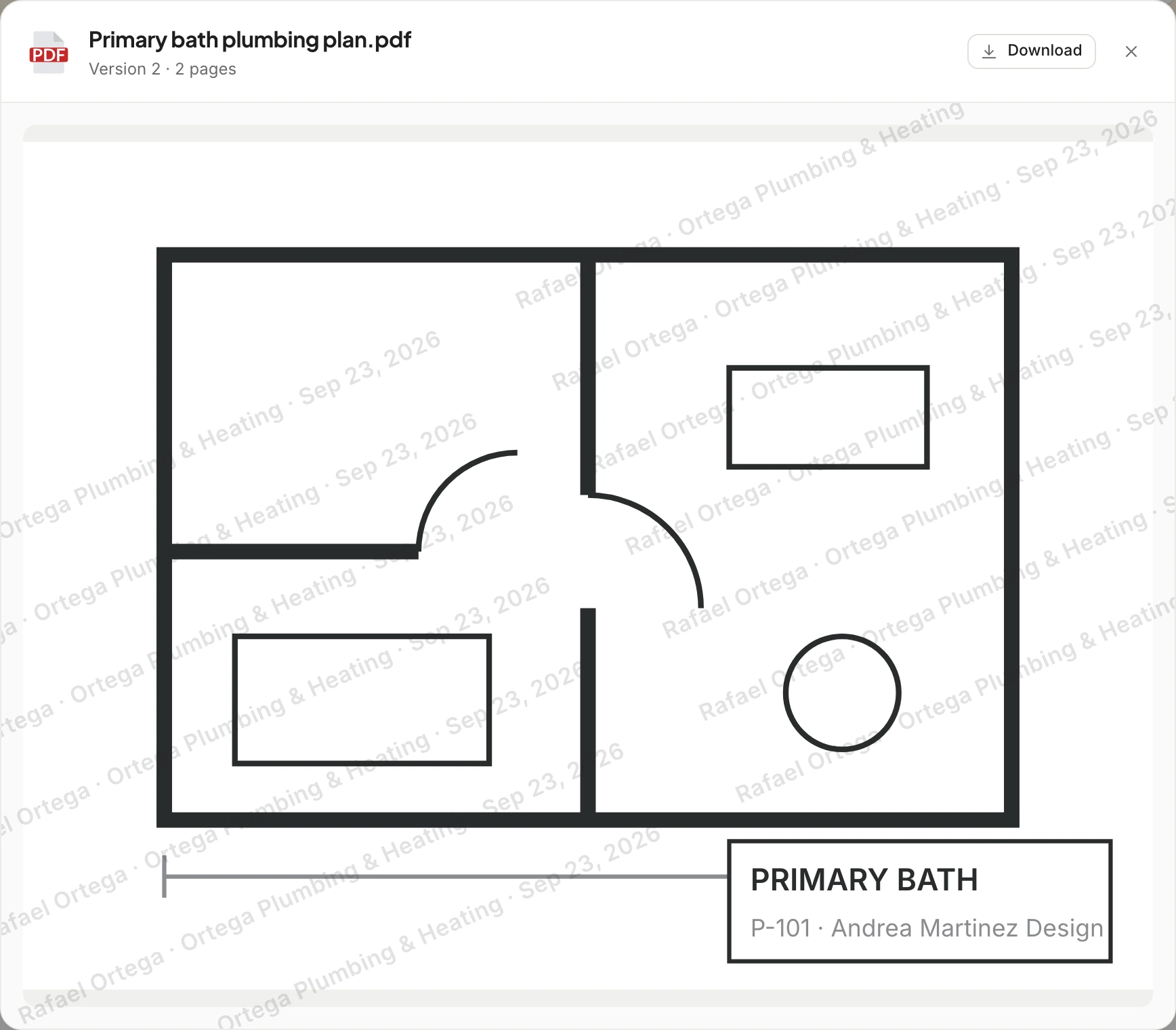
Every estimate, invoice, change order, purchase order, bill and receipt in Workroom is filed in Documents, along with product photos, Comms attachments and task files. Each record gets its own folder holding the PDF Workroom made, anything attached to it and anything linked from elsewhere. Your own folders hold only what you put there.
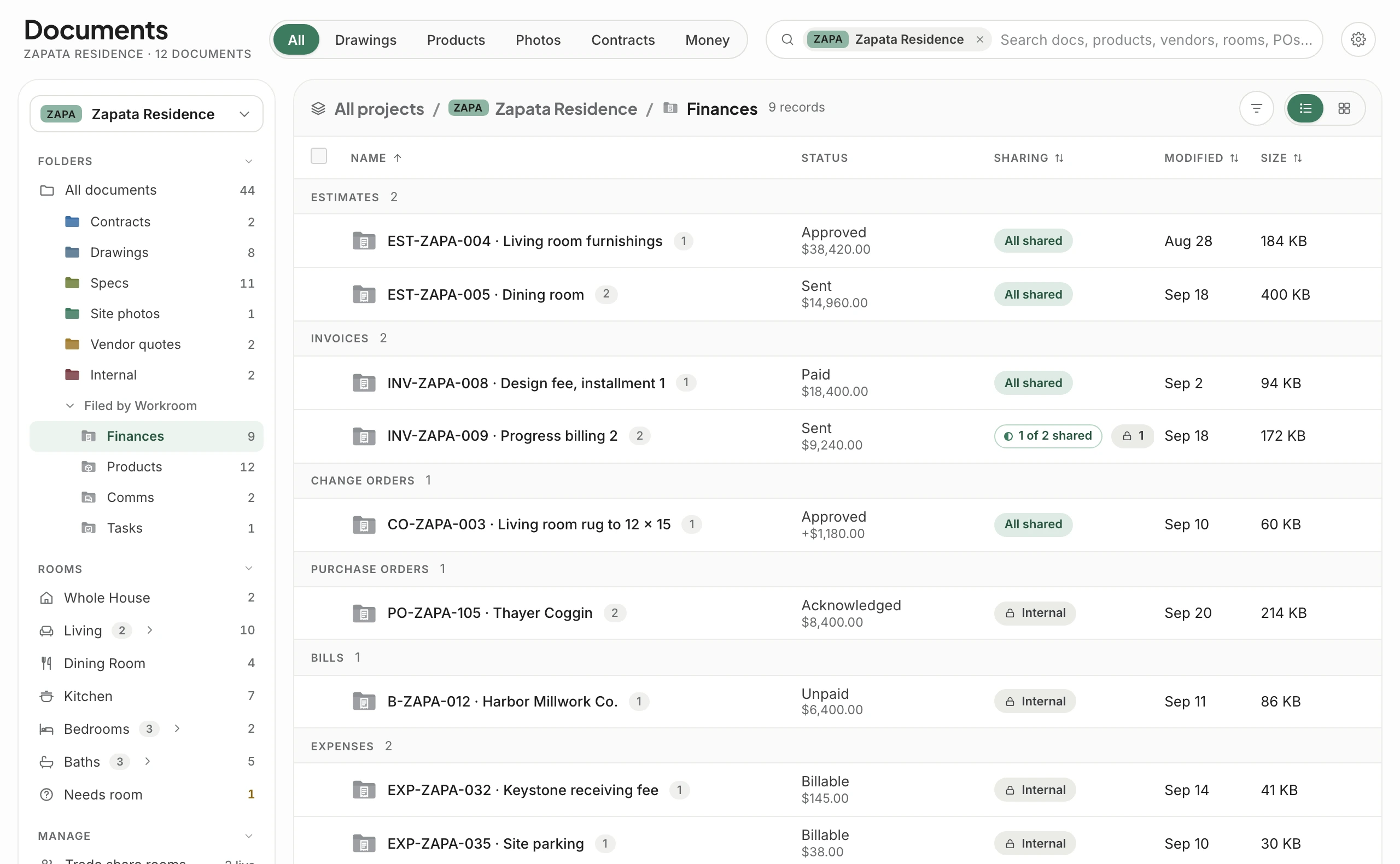
Walter reads every upload, import and new version. Vendor quotes, purchase orders, bills, acknowledgments, price lists and anything else with trade pricing lock internal, and the banner shows the exact phrases it found. Share a whole folder and everything else goes, with a note of how many files stayed behind.
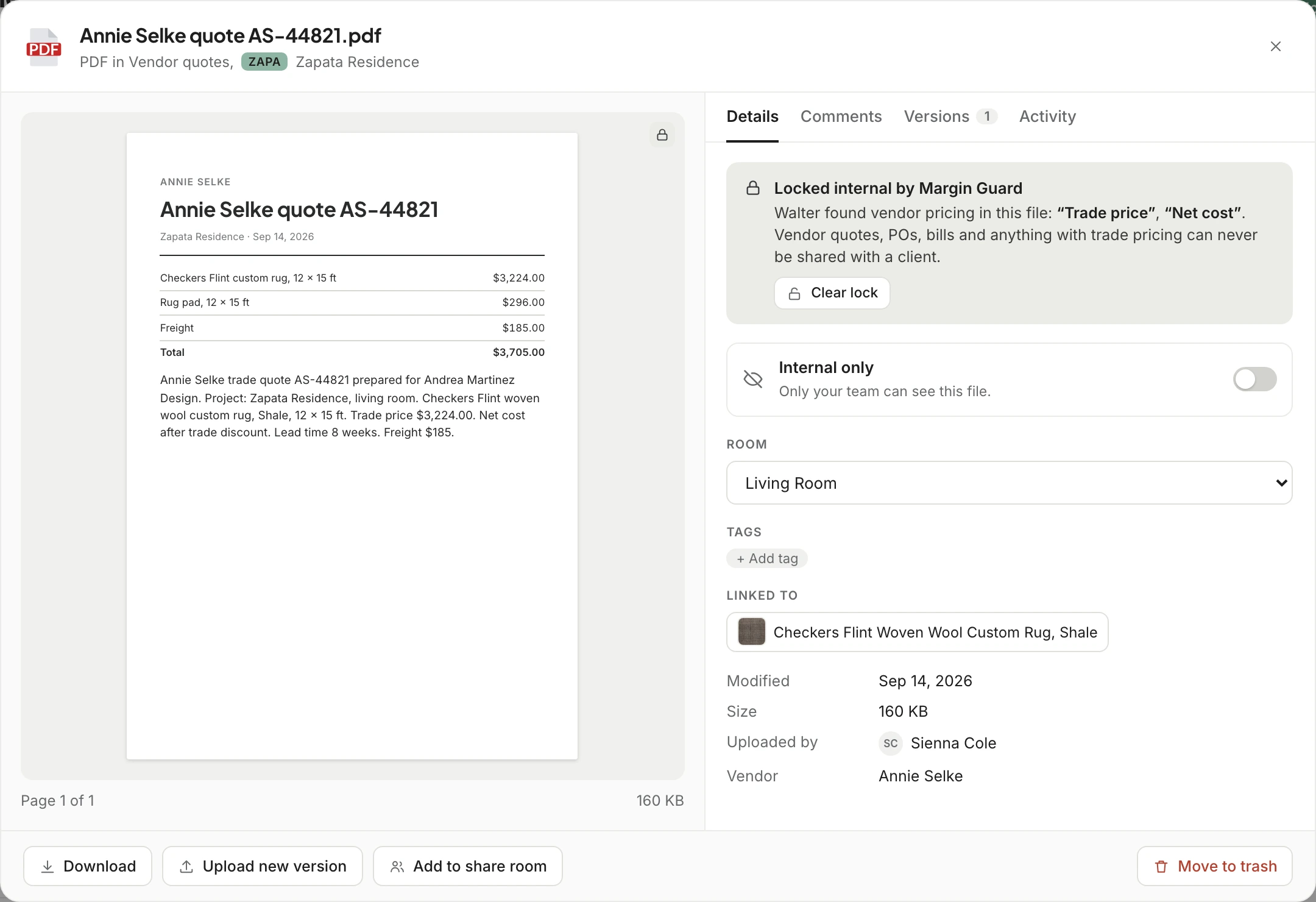
A share room is a link for one contractor or vendor, picked from your contacts. Choose a room and its files come with it. Set when the link expires, add a password, and decide whether they can download. They always see the latest version, and every open, view and download goes in the access log.
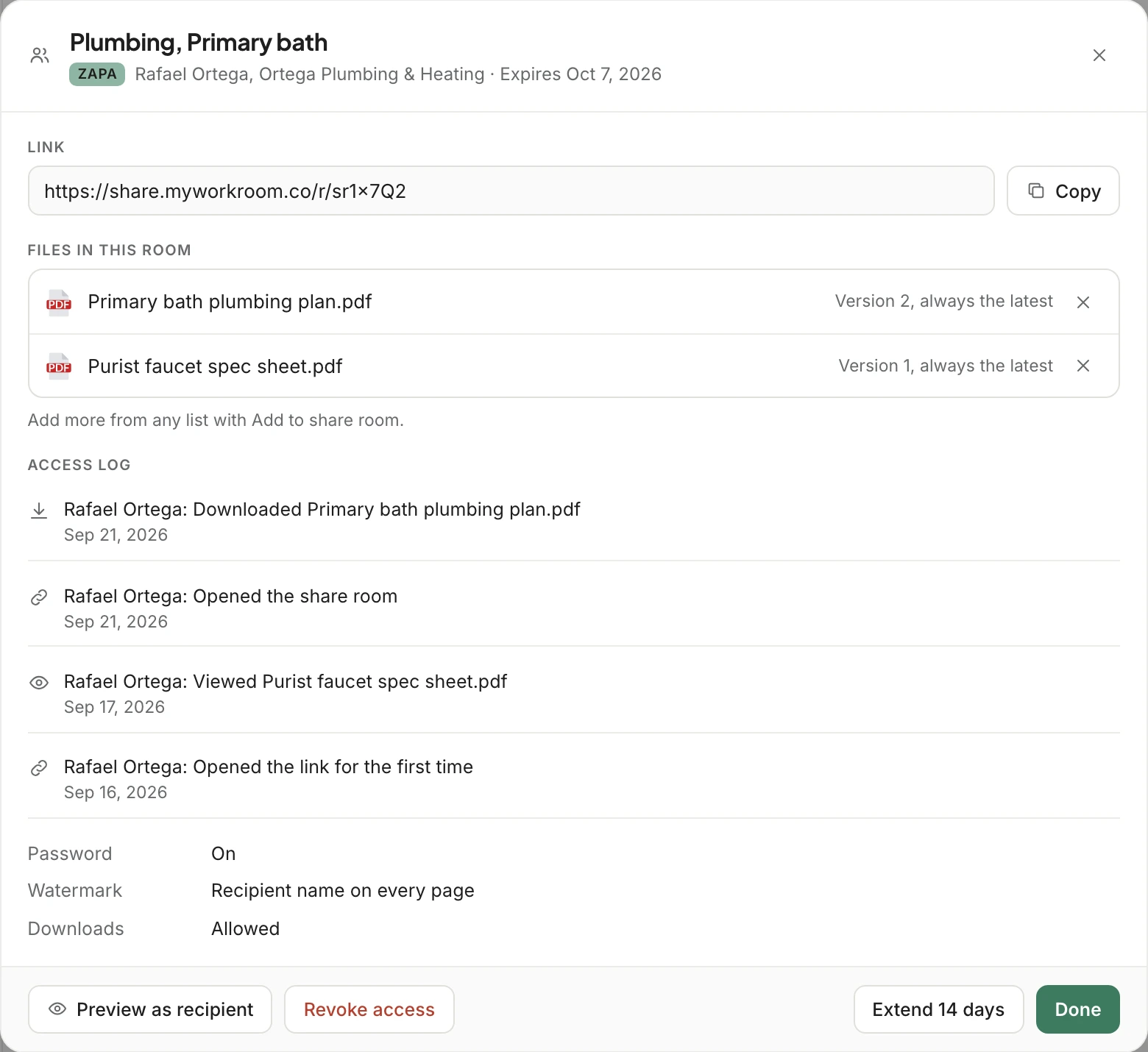
The contractor opens a page with your studio’s name on it, not a sign-up screen. Each file carries a watermark with their name, their company and the date, and can be view only. Once the link expires or you revoke it, the page shows that and nothing else.
Upload a new version and say what changed. Restoring an older one makes a new version, so nothing is ever lost.
Letterhead, welcome packets and care guides live once and link into any project. A new version reaches every project that uses it.
Switch a file to shared and your client sees it in Comms under Documents. The file’s activity shows when they viewed it.
Every delete can be undone, and deleted files wait 30 days in Trash, showing where they were and who deleted them.
Controls a role can’t use are removed, never grayed out, and search only returns files the viewer can open. Permissions
Map each folder to a Workroom folder and room, and Walter tags rooms and checks for vendor pricing as the files copy.
Only the files you share, and they see them in Comms under Documents. Anything with vendor cost or trade pricing is locked internal, and its sharing switch won’t move.
Estimates, invoices, change orders and purchase orders are filed under Filed by Workroom, each in its record’s folder. They follow the record: you edit them where they were made, and they’re shared with the client once the record is sent.
No. A trade share room is a link with an expiry date, an optional password and a watermark with their name. You can revoke it at any time.
From the room list in your settings, where each room has a name, a short code for spec numbers and a group. Projects pick their rooms from that list during setup.
That’s coming soon. You’ll map each folder to a Workroom folder and a room, and Walter will tag rooms and check for vendor pricing as the files copy.
Pro includes 25 GB for the whole studio, and Concierge is unlimited. Owners can add 1 TB at a time, for $10 a month or $120 a year. See pricing.
We’ll bring in a project’s drawings, specs and quotes and show you where they file, what Walter finds, and what stays internal.