Who decides
Anyone, everyone must agree, or one named person, decision by decision.

Walter turns what happened on the project into a client update: the photos, the pieces you’re sourcing, what’s due and what you talked about in the last meeting. You shape it, add the decisions you need, and send it to Comms and email. Your client answers right in the update.
Trusted by the studios doing the work
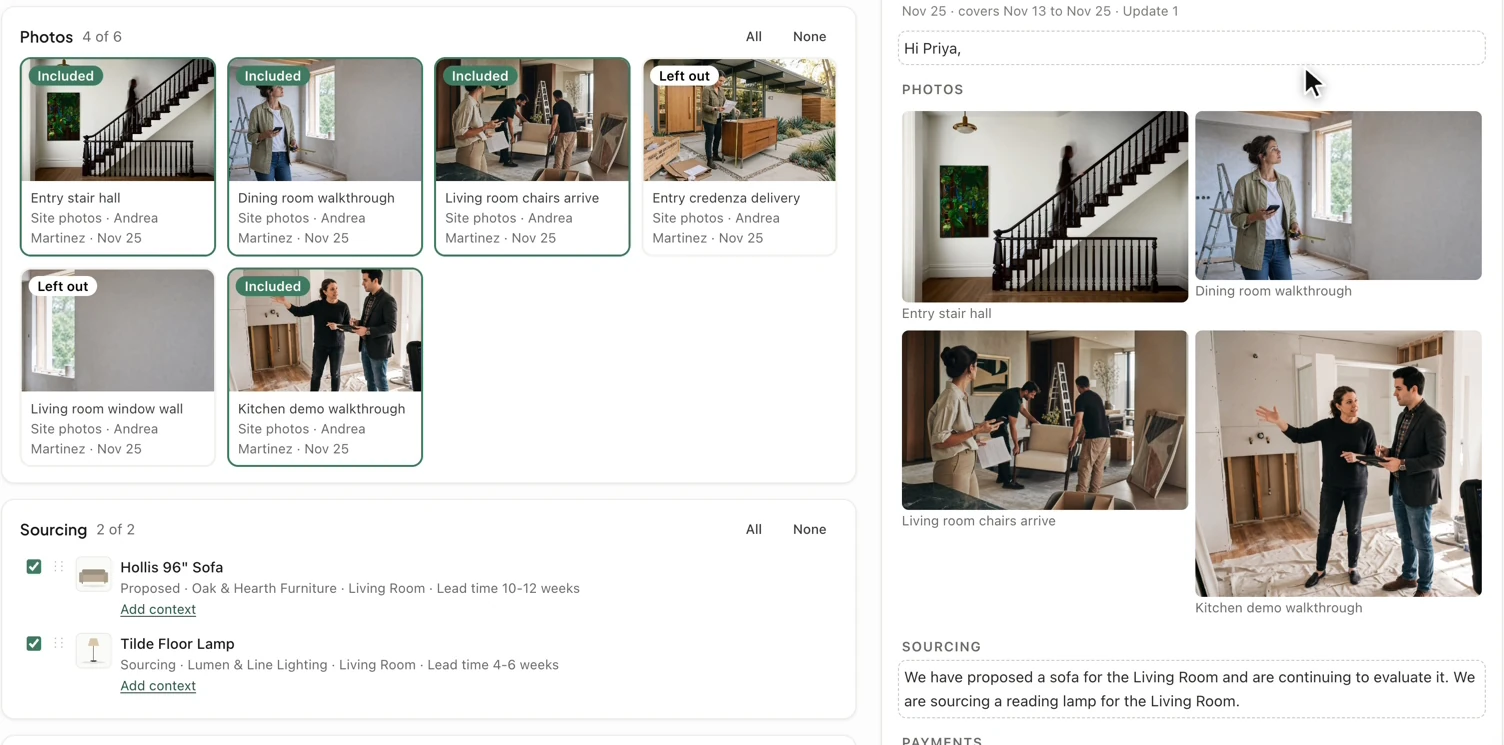
Walter drafts the update on your schedule, or whenever you start one. Photos from the site, the pieces you’re proposing and sourcing, and payments that are due each have their own section. Include or leave out each one, add context in a line, and attach files. The client’s version sits right beside it, as a Comms card or an email.
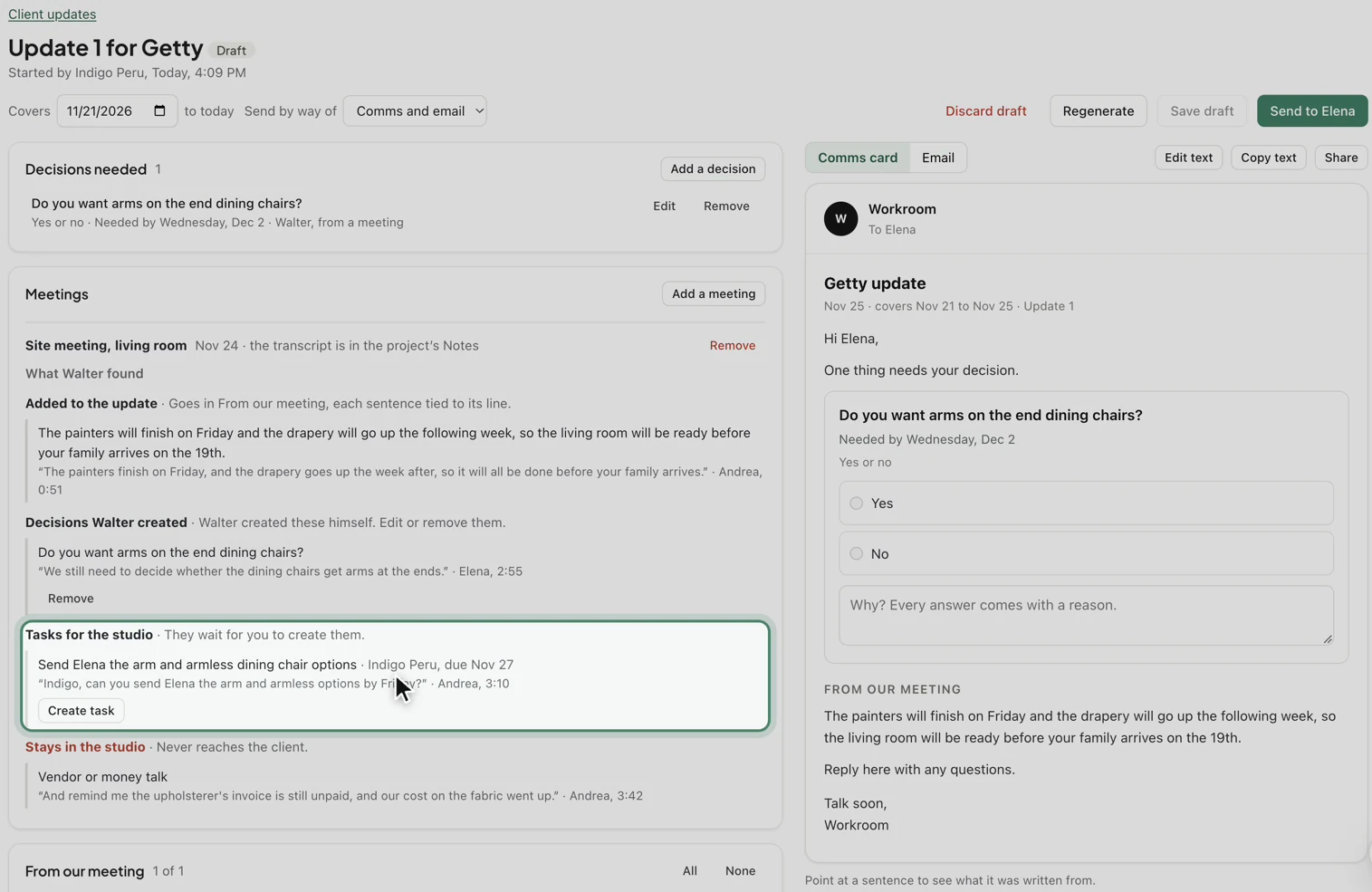
Add a decision: a yes or no, a choice between options, or an approval. Set when you need it by and who decides: anyone on the client side, everyone together, or one named person. Your client answers in the update, and every answer comes with a reason, so you know why as well as what.
Anyone, everyone must agree, or one named person, decision by decision.
Every decision has a date, so the open questions that hold up an order are the ones you chase first.
Add a meeting transcript and say who was who. Walter sorts it out: news for the update, each sentence tied to the line it came from; decisions to ask the client; to-dos for the studio, offered as tasks; and vendor or money talk, which never reaches the client. The transcript is saved to the project’s notes, for the studio only.
Choose when updates are written and what they include, studio-wide or project by project.
Have updates approved before they’re sent. The approver can send it, or send it back with a note.
Describe your studio’s voice once. When you edit what Walter wrote, he learns from the change for next time.
Share any update as a PDF with a memo at the top, and see every time it was shared or downloaded.
With White-label, updates come from your studio and carry no Workroom name.
Updates arrive in the client’s Comms thread, so the answers stay with the project.
Only if you choose to. By default Walter drafts the update and you review it, and you can require an approval before anything goes to the client.
In the update itself, in Comms or from the email. Every answer comes with a reason, and it lands on the project's Decisions tab.
No. The transcript is saved to the project's notes for the studio only. Only the sentences you keep in the update reach the client, and vendor or money talk never does.
Yes. Describe your studio's voice in Settings, and Walter learns from the edits you make to his drafts.
Yes. Client updates are one place for every update your client gets, on the schedule you choose.
We’ll draft a real update from a week of project activity and walk it to your client’s answer.