Client
Selling prices, and no costs. Name products the way your client knows them, or show the maker’s name too.

Spec Sets turns the products in your Library into the documents a project runs on: a spec book for your client, finish schedules for each trade, selection boards, a room finish matrix and a budget by room. Pick who it’s for, and the right prices show, or none at all.
Trusted by the studios doing the work
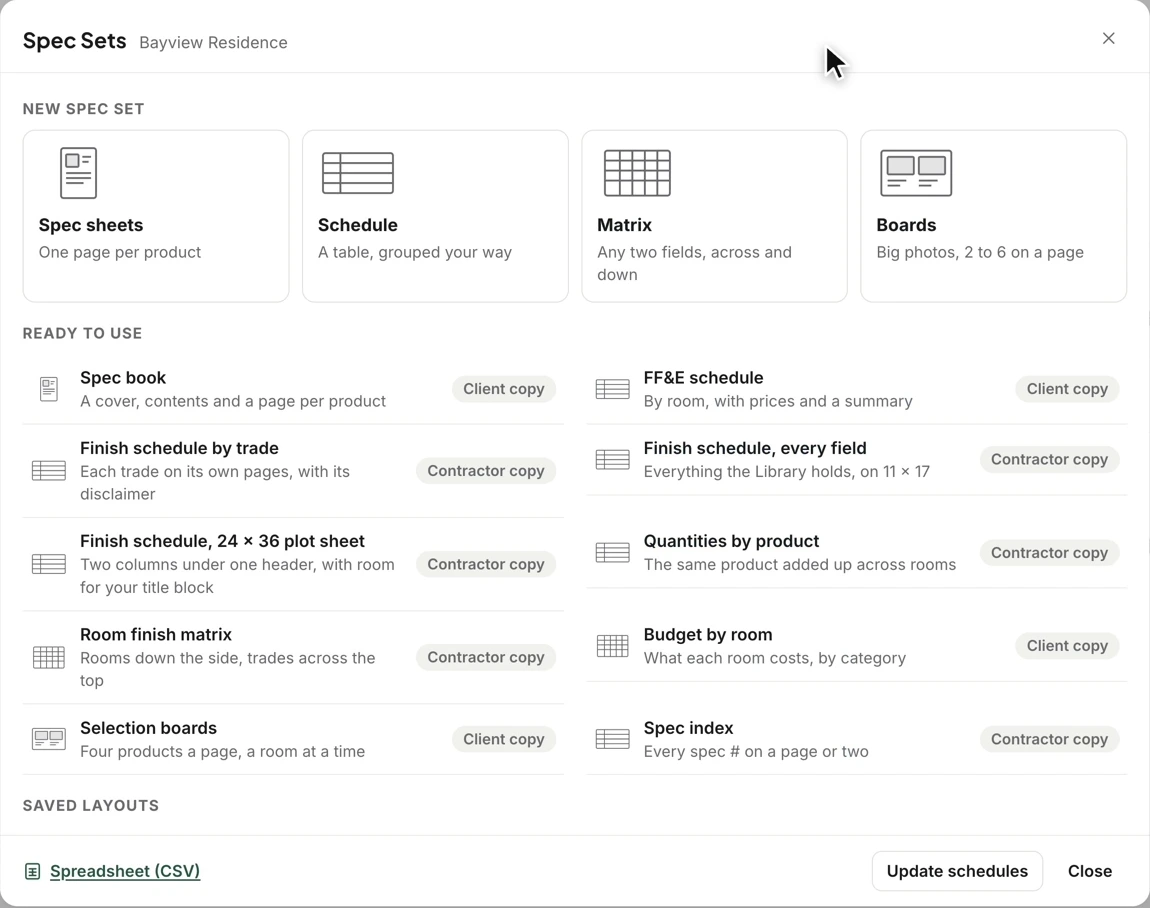
Open Spec Sets from the Library for the whole project, or tick a few products first. Start a new spec set in one of four shapes, or pick one that’s ready to use: a spec book, an FF&E schedule, finish schedules by trade, quantities by product, a room finish matrix, a budget by room, selection boards or a spec index.
Every spec set starts with one question: who is going to read it? Choose once and the whole document follows, so a contractor never sees your client’s prices and a client never sees your cost.
Selling prices, and no costs. Name products the way your client knows them, or show the maker’s name too.
No prices at all. Specs, finishes, quantities and notes for the people installing it.
Adds your cost and markup, for checking the numbers before anything goes out.
Give every trade its own pages: plumbing, tile, lighting, paint. Group by trade and then by room, pick the columns each trade needs, and print your disclaimer for that trade at the top of every one of its pages.
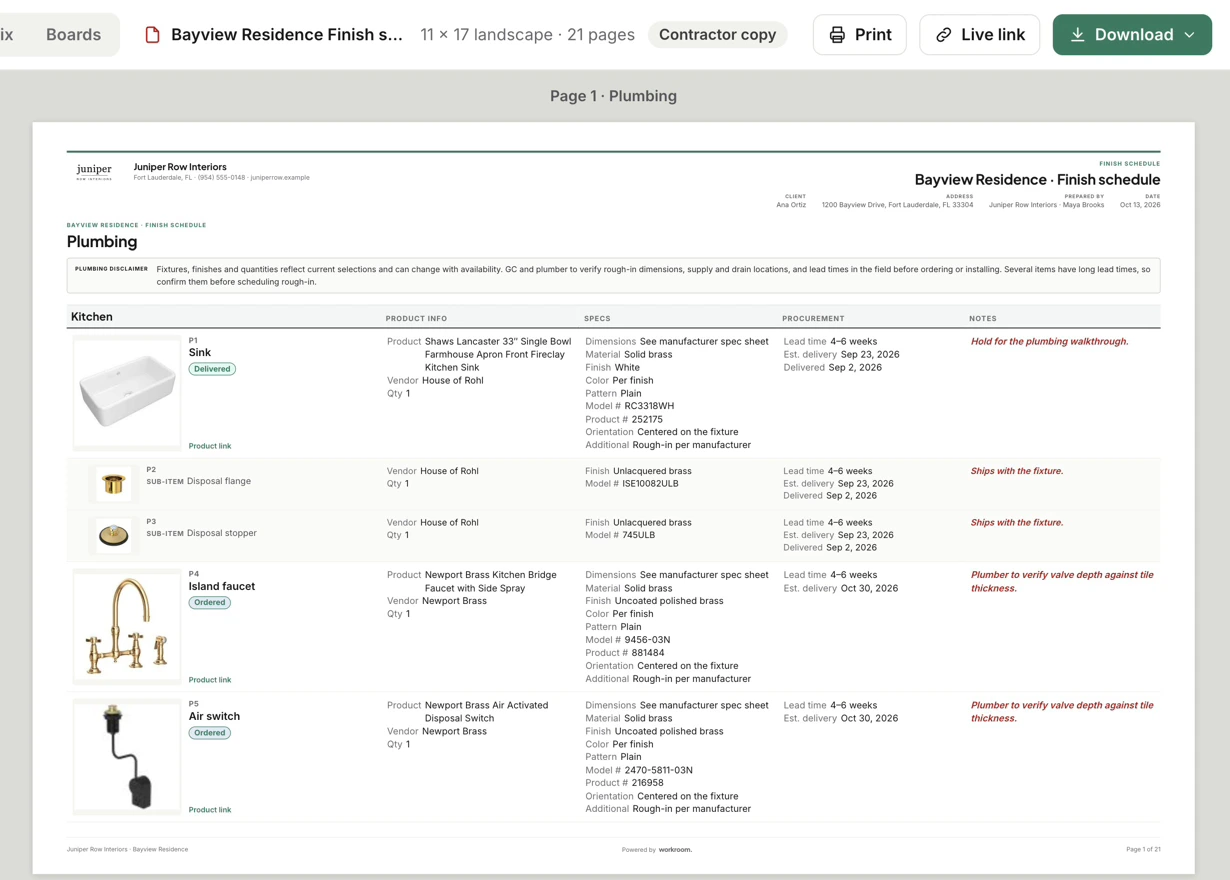
Print on 11 × 17, or on a 24 × 36 plot sheet that leaves room for your own title block.
Sort by spec number, or drag products, rooms and trades into the order you want them read.
Combine the same product across rooms, so the quantity is added up once and every room is still listed.
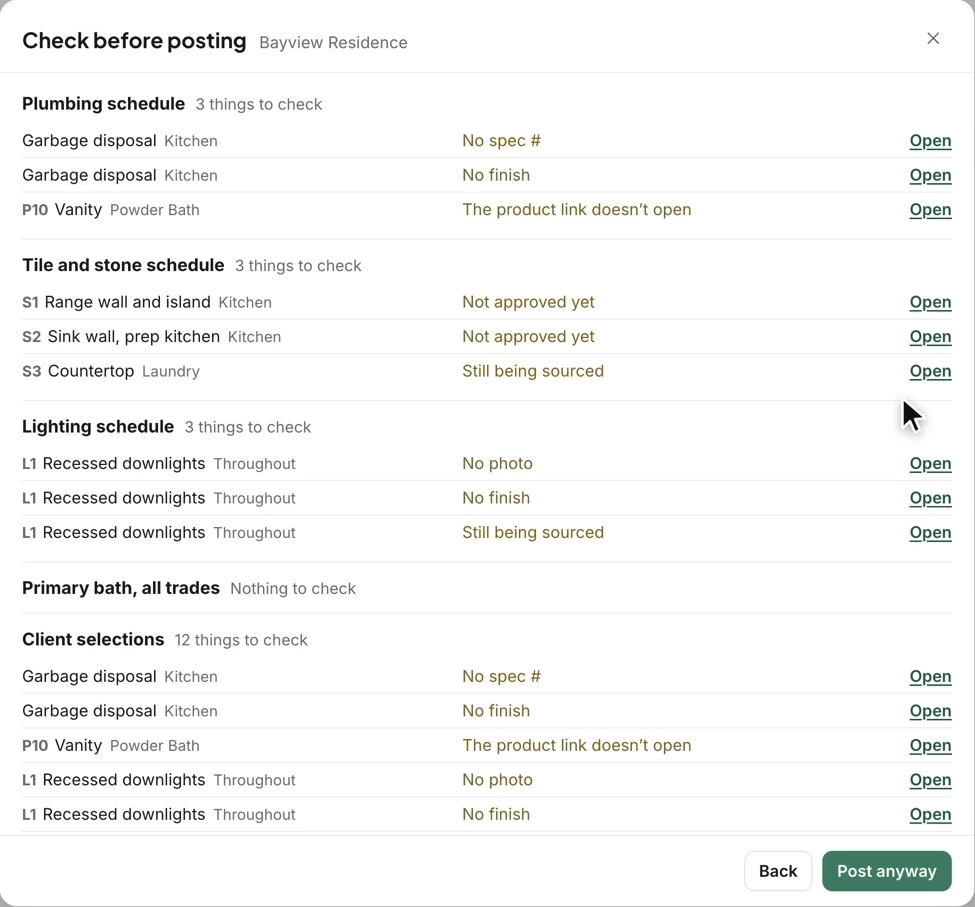
Save a spec set as a project schedule and it stays up to date with the Library. When products change, post a new version to the people who need it. Mark what changed, add a page listing the changes, and keep the revisions on the cover. Each version is filed in the project’s Documents.
A cover with the contents grouped by room, then a page per product. A long product flows onto the next page instead of getting cut off, and its attachments can follow it.
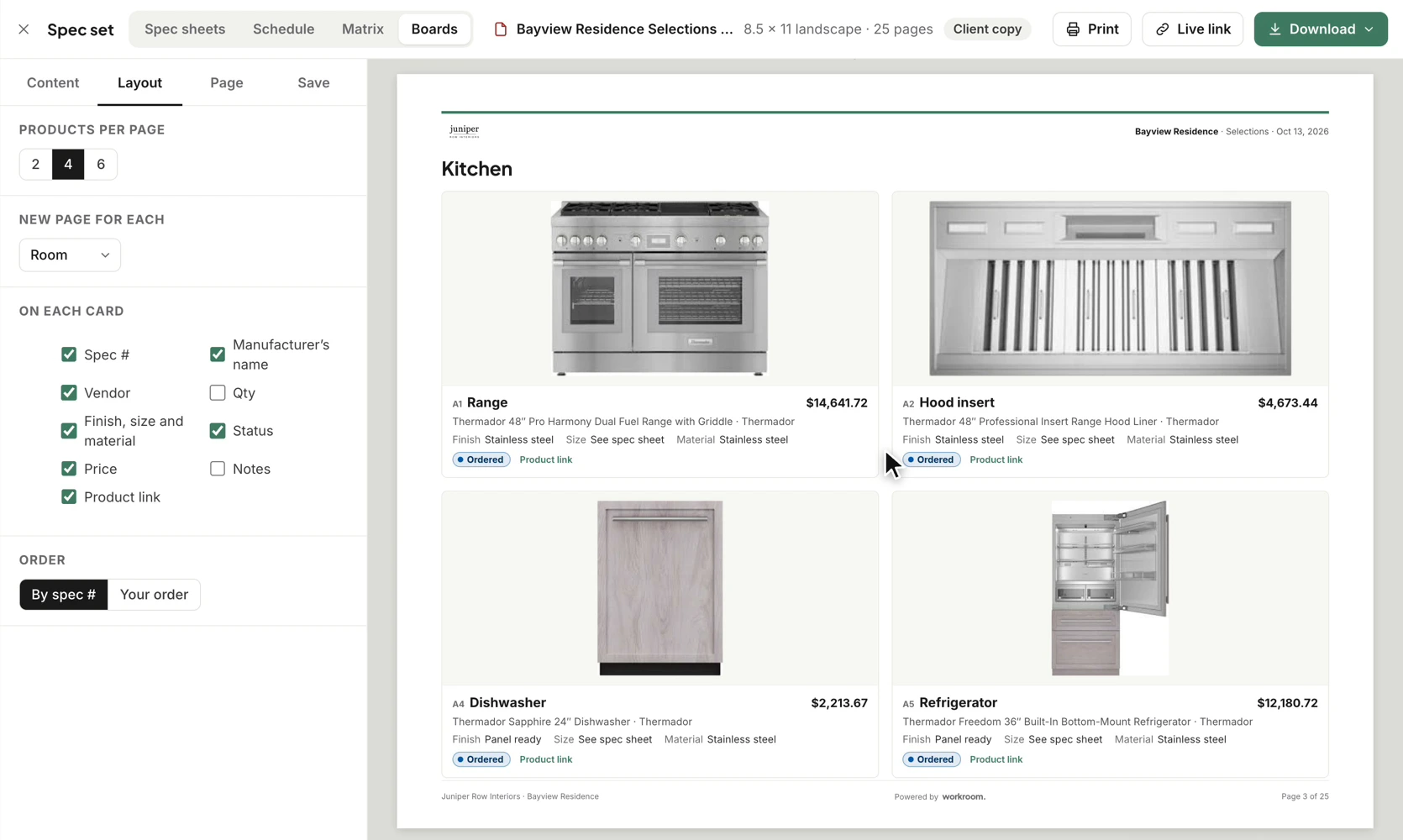
Big photos, two to six products a page, with a new page for each room.
Rooms down the side and trades across the top, or what each room costs, by category.
End a schedule with the totals, the budget, what each room adds up to and what’s still waiting on approval.
Add a mood board or a PDF to the same file, after the cover or at the end. Use your own PDF as the cover if you like.
Download a PDF, Excel or Word file, print it, or share a live link. Tick Add to documents to file a copy with the project.
Spec books, FF&E schedules, finish schedules by trade, quantities by product, a room finish matrix, a budget by room, selection boards and a spec index. Start from one that's ready to use, or build your own as spec sheets, a schedule, a matrix or boards.
No. A Client copy shows selling prices and no costs, and a Contractor copy shows no prices at all. Your cost and markup only appear when you choose Studio only.
No. A long product flows onto the next page. The manufacturer's attachments can follow each product, page by page.
Letter, or A4 for studios outside the US. Schedules can also go on 11 × 17, or a 24 × 36 plot sheet with room for your title block.
Save the spec set as a project schedule. When products change, post a new version to the people who need it, with what changed marked, and every version is filed in the project's Documents.
Yes. Download any spec set as an Excel file with a row per product, or export the raw Library data as a spreadsheet.
We’ll build a spec book and a finish schedule from a real project’s products, and show you what your client and your trades each see.