Add what you have
Add one sample at a time, or bring in a whole library from a spreadsheet and check it before it lands.

Samples is your studio’s sample library: every fabric, wallcovering, tile and stone, the bin it lives in, who took it and when it’s coming back. Pull samples for a meeting, request new ones from the rep, and let Walter flag what needs tidying.
Trusted by the studios doing the work
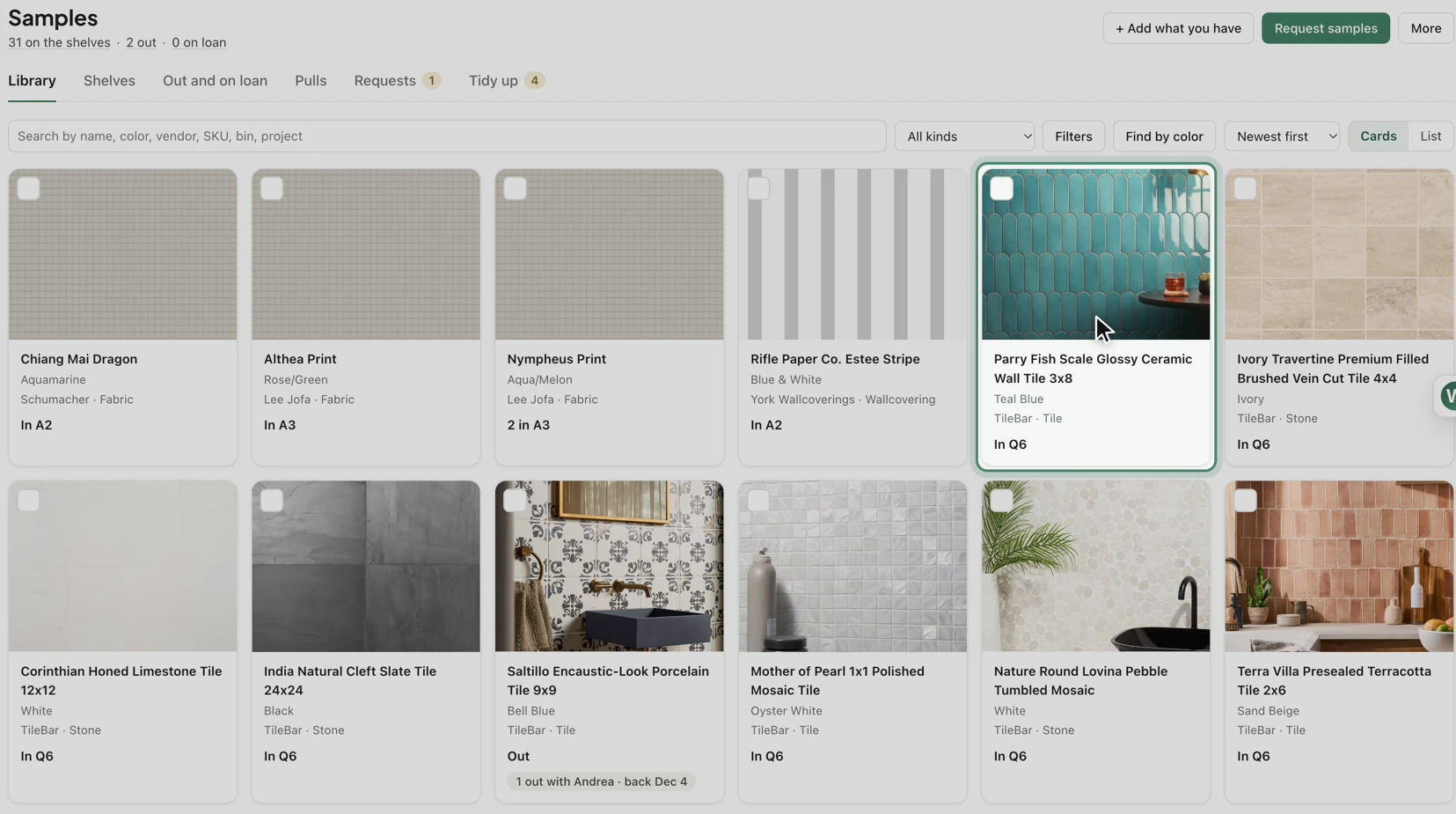
Search by name, color, vendor, SKU, bin or project, or find a sample by its color. Open one to see its photo, details, where it lives and its history. Set up your racks and bins once, drag a swatch to move it, and count a rack to check that what’s on the shelves matches what Workroom thinks is there.
Add one sample at a time, or bring in a whole library from a spreadsheet and check it before it lands.
Print labels for your samples and your bins, so anyone can put a sample back where it belongs.
Samples sit alongside your product library, so the swatch on the shelf and the product on the spec are never far apart.
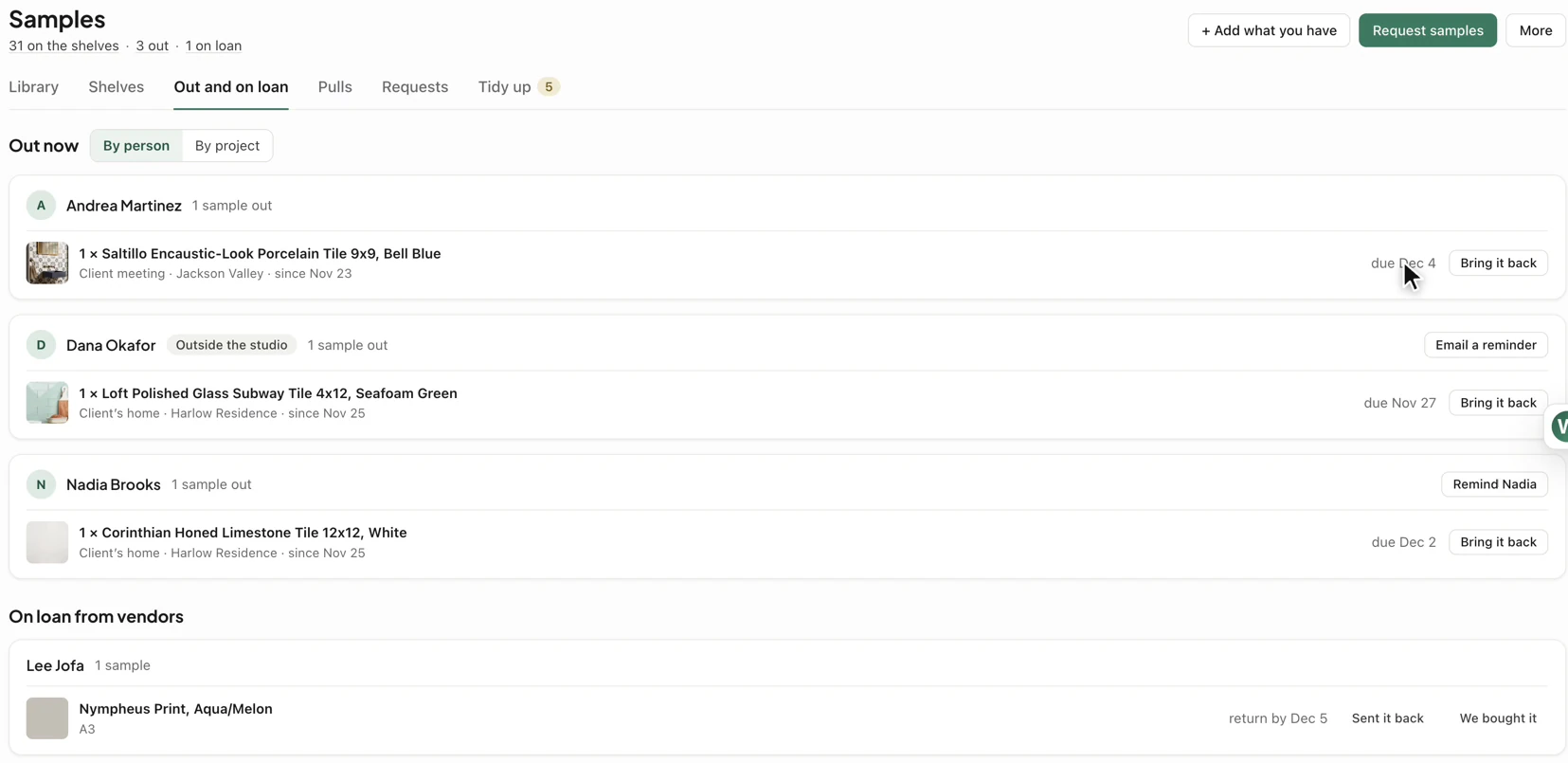
Check a sample out to someone on your team or outside the studio, say where it’s going and when it’s due back. Out and on loan shows who has what, by person or by project, with a reminder one click away. Samples on loan from a vendor show their return date, and whether you sent them back or bought them.
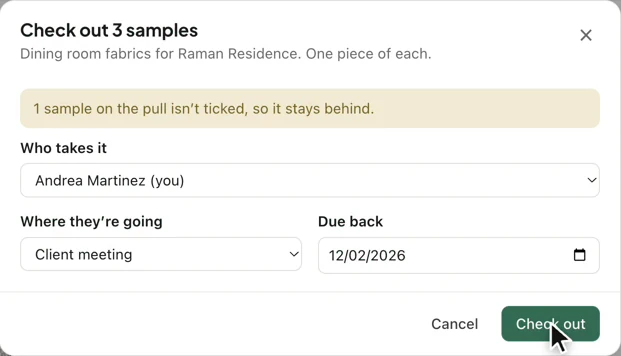
Gather the samples for a presentation into a pull for the project. Walter gives you the order to walk the shelves in, and offers the closest thing you have when a sample is already out.
Request samples from a vendor’s rep by email or text, in the way they prefer. Log the tracking, and when the samples arrive, put them away in their bin.
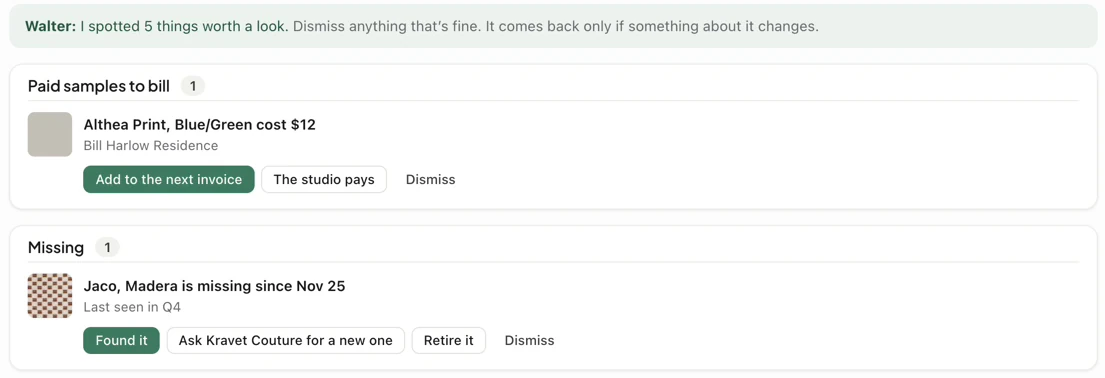
A sample you paid for on a client’s behalf can go on the project’s next invoice, or the studio can cover it. Either way it’s a decision, not a forgotten $12.
Tidy up lists what’s worth a look: paid samples to bill, samples gone missing, the same sample in the library twice, bins that are too full and shelves that haven’t been counted. Each comes with the one-click fix. Dismiss anything that’s fine and it only comes back if something changes.
No. Bring in a whole library from a spreadsheet, check it before it lands, then print labels for the samples and the bins.
Yes. Check a sample out to anyone, say where it's going and when it's due back, and email them a reminder when it's late.
They show under On loan from vendors with their return date. Mark them sent back, or bought if you keep them.
Request samples from the vendor's rep by email or text, log the tracking, and put the samples away in their bin when they arrive.
Yes. A sample paid for on a client's behalf can go on the project's next invoice, or the studio can cover it.
We’ll set up a rack, check out a pull for a meeting and walk it back to its bins.